
|
Do it yourself
| |||
| ||||


How to Replace the Front Brakes on a Honda Civic Mk8
Model: Honda Civic
MK 8
- Years 2006-2012
This guide shows how to replace the front brakes on a Honda Civic Mk8. Using a 19 mm spanner, loosen the bolts on the front wheels and lift the vehicle. Once the wheel is removed, use a 12 mm spanner to unscrew the two caliper locking bolts and remove the worn brake pads. Remove the two 17 mm bolts from the caliper housing and take off the component. Using a large flathead screwdriver, remove the retaining screws of the brake disc and extract the old part. Install the new disc and clean it with appropriate spray. Clean the caliper housing and refit it in position. Lubricate the brake pads with the appropriate lubricant and install them. Using a brake piston tool, push the caliper piston back fully and reinstall the component. Check the proper functioning of the system before hitting the road.
Updated on 16 June 2026 by ScegliAuto
Video tutorial
Related tutorials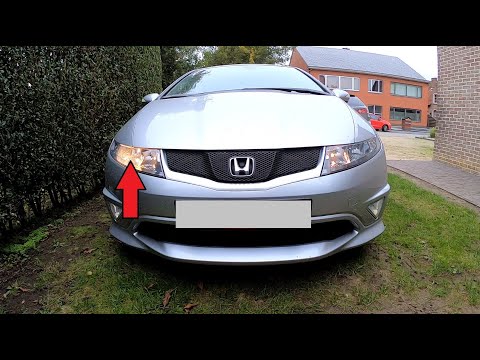
Honda Civic
(2006-2012 /
MK 8)
Discover how to remove and replace the front headlamp bulb on the eighth generation Honda Civic in simple steps. First, open the bonnet and start by …
Honda Civic
(2001-2006 /
MK 7)
To bleed the brakes, open the bonnet and remove the cap from the reservoir of the pump to ensure the fluid is at a sufficient level. Next, place a co…
Honda Civic
(2006-2012 /
MK 8)
In this video, locate the fuses on the Honda Civic MK8: the cabin fuse box is situated between the steering column and the driver's door, at the lowe…
Other guides you may be interested in
|
How to Open a Stuck Boot on the Peugeot 407?
On the Peugeot 407, the boot may become stuck, possibly due to a problem with the control button or the lock actuator. In such cases, you can perform an emergency opening by following the simple procedure shown in this tutorial. First, open the rear doors, then lower the seat back by operating the release lever. Next, go inside the boot, locate the lock, and manually operate it using a flathead screwdriver. The boot will then be free to open. by ScegliAuto More videos
|
|
For advertising on this site Write to info@scegliauto.com
ScegliAuto is not responsible for any inaccuracy of the data in the lists. To report any inaccuracy or your business (if you own the business in question), please write to info@scegliauto.com
Number of seconds to generate the page: 0.113
(c) ScegliAuto 2026 - info@scegliauto.com - Privacy policy VAT number: IT01247470535 |
