
|
Do it yourself
| |||
| ||||


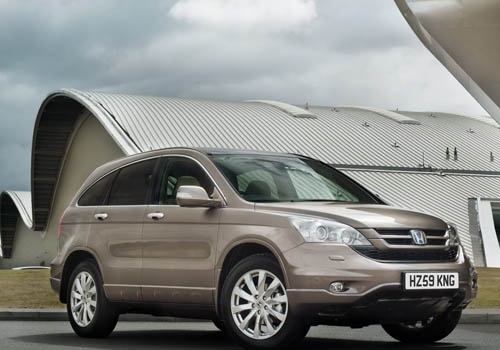
Body Bar Replacement and Maintenance
Model: Honda CR-V
MK 3
- Years:
2007, 2008, 2009, 2010, 2011, 2012
Video tutorial
Remove the wipers by unscrewing the bolt under the plastic cover, noting which is on the driver's side. Next, remove the rubber seal and all clips securing the plastic parts to the body to take off the rigid plastic cover, disconnecting the tube present. Now, remove the bolts securing the metal body bar, and with some leverage, you can remove all affected parts, being careful of any connected or passing tubes. Clean everything thoroughly and reassemble all parts as they were originally.
Updated on 23 February 2026 by ScegliAuto
Related tutorials
Honda CR-V
(2002-2007 /
MK 2)
This video illustrates step by step how to carry out proper maintenance on our car, highlighting the care needed for checking the rear differential. …
Honda CR-V
(2017-2022 /
MK 5)
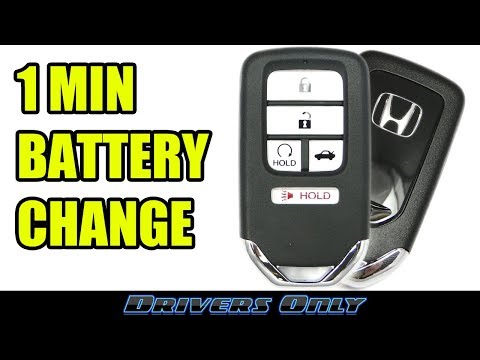
Today, tackle a simple maintenance task: replacing the battery in the Smart Key Remote used by Honda. Press the button on the back of the key to slid…

Honda CR-V
(2007-2012 /
MK 3)
A simple replacement that will save you time and money at the garage. Open and lift the bonnet, remove the panel covering the engine, and you will no…
Other guides you may be interested in |
How to Reset the Tire Pressure Light on a MG ZS?
On the instrument cluster of the MG ZS, the tire pressure light that appears can be reset by inflating the tires to the correct pressure: this value will be indicated on the sticker attached to the driver's door pillar. Once the tires have been properly inflated, you can turn on the instrument cluster and navigate through the menu until you find the option that indicates tire pressure: if this screen shows the new values, the light will turn off; otherwise, you will need to drive for a few miles so that the sensors can read the new values and turn off the light afterward. by ScegliAuto More videos
|
|
For advertising on this site Write to info@scegliauto.com
ScegliAuto is not responsible for any inaccuracy of the data in the lists. To report any inaccuracy or your business (if you own the business in question), please write to info@scegliauto.com
Number of seconds to generate the page: 0.030
(c) ScegliAuto 2026 - info@scegliauto.com - Privacy policy VAT number: IT01247470535 |
