
|
Do it yourself
| |||
| ||||


How to reset the service in the Hyundai I30?
Model: Hyundai I30
MK 2, GD
- Years 2011-2016
In this tutorial, we can see how to reset the service in the Hyundai I30, an extremely simple and quick operation, to be carried out only once all scheduled maintenance work has been completed. Let's start by going inside the car, then insert the key and turn on the instrument panel. Next, scroll through the various options on the main display using the "TRIP" button on the steering wheel, reach the service interval, and reset it by holding down the "RESET" button. To complete the procedure, simply restart the vehicle.
Posted on 5 January 2025 by ScegliAuto
Video tutorial
Related tutorials
Hyundai I30
(2011-2016 /
MK 2, GD)
Today we will explain the steps to perform a service light reset on a Hyundai I30 car. To reset the light, we need to turn on the instrument panel an…

Hyundai I30
(2011-2016 /
MK 2, GD)
In order to reset the Service light of the Hyundai I30, you need to turn on the instrument panel by inserting the ignition key into the corresponding…

Hyundai I30
(2011-2016 /
MK 2, GD)
Today's instructions will allow us to reset the service light of the Hyundai I30 in simple steps. First, let's get inside the vehicle and start turni…
Other guides you may be interested in
|
Fuses Location and Diagram for the Volkswagen Crafter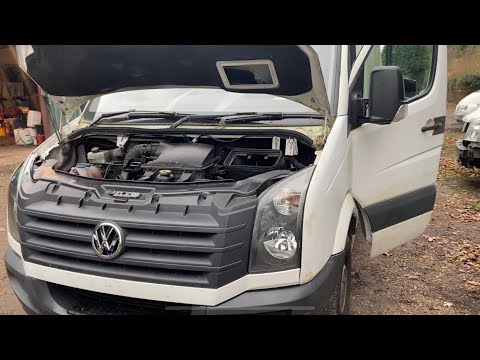
In this guide, we will look at the location of the fuse boxes and how to find their diagram for the Volkswagen Crafter. First, get inside the vehicle and start by removing the plastic cover found under the steering wheel, to access the internal fuse box; you will find another fuse box in the engine compartment by removing the plastic cover located next to the battery. At this point, use the owner's manual to find the fuse diagram, which will allow you to identify and replace any blown fuses with new ones! by ScegliAuto More videos
|

For advertising on this site Write to info@scegliauto.com
ScegliAuto is not responsible for any inaccuracy of the data in the lists. To report any inaccuracy or your business (if you own the business in question), please write to info@scegliauto.com
Number of seconds to generate the page: 0.224
(c) ScegliAuto 2026 - info@scegliauto.com - Privacy policy VAT number: IT01247470535 |
