
|
Do it yourself
| |||
| ||||


How to replace the battery of the Hyundai Santa Fe
Model: Hyundai Santa Fe
MK 4, TM
- Years 2019-2023
These short and simple steps will show us how to disassemble and replace the battery of the Hyundai Santa Fe, following the instructions below. First, we open the hood of the car and start removing the battery cover; then we disconnect both battery terminals (positive and negative), unscrewing the battery bracket screw to remove it from its compartment, as shown in the video. At this point, we install the new battery (of the correct type and with the same amperage), inserting it in the correct direction; we check the engine ignition!
Posted on 4 October 2025 by ScegliAuto
Video tutorial
Related tutorials
Hyundai Santa Fe
(2006-2012 /
MK 2)
In this video tutorial, you will learn how to replace the battery on a Hyundai Santa Fe. First, open the bonnet from inside and remove the protective…

Hyundai Santa Fe
(2006-2012 /
MK 2)
Today we will explain how to replace the battery of the key/remote control of a Hyundai Santa Fe. To replace the battery, we need to lift the metal k…
Hyundai Santa Fe
(2012-2018 /
MK 3)
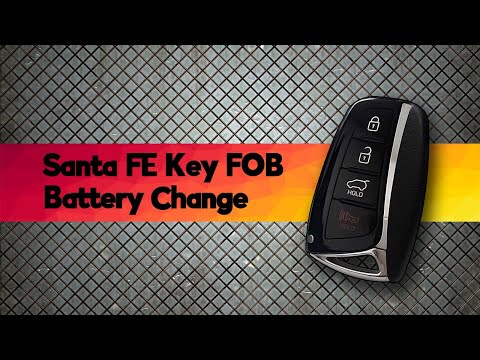
Replacing the remote battery of the Hyundai Santa Fe is very simple. You will need a small flat-head screwdriver and a replacement CR2032 battery. St…
Other guides you may be interested in
|
How to Replace the Cabin Filter on the Opel Grandland X
If you own an Opel Grandland X and want to know the steps to replace the cabin air filter, carefully read the following guide and follow the described steps. First, enter the vehicle and go to the passenger side. Then, locate the box containing the air filter in the lower side area of the dashboard. Remove the cover of the box and finally replace the old filter with the new one. Refit the cover, and you are done. by ScegliAuto More videos
|

|
For advertising on this site Write to info@scegliauto.com
ScegliAuto is not responsible for any inaccuracy of the data in the lists. To report any inaccuracy or your business (if you own the business in question), please write to info@scegliauto.com
Number of seconds to generate the page: 0.182
(c) ScegliAuto 2026 - info@scegliauto.com - Privacy policy VAT number: IT01247470535 |
