
|
Do it yourself
| |||
| ||||



How to Change the Front Brake Pads on a Hyundai I30 MK1
Model: Hyundai I30
MK 1, FD
- Years:
2007, 2008, 2009, 2010, 2011, 2012
Video tutorial
To change the front pads on the Hyundai I30, open the bonnet and remove the brake fluid reservoir cap, loosen the bolts on the front wheels, lift the front of the car, and remove the wheels. Insert a flat screwdriver into the outer end of the slot on the back of the caliper and pry to retract the caliper piston; loosen the two guide bolts (screws that hold the caliper). Remove the caliper and tie it to the suspension with string to avoid damaging the brake hose. Remove the old pads by sliding them off the disc; remove the anti-noise springs; clean the pad support with a wire brush, fit the new anti-noise springs and the new pads (which you will have purchased from mister-auto.it, brand SKF, part number VKBP 80228 A at the price of £32.50 per pair). Insert them into the support after applying copper grease to the ends (not the friction surface!). Check the condition of the guide bolts, reassemble the calipers, and repeat on the other side. Refit the wheels, replace the brake fluid reservoir cap, start the vehicle, and press the brake pedal several times to bring the pads closer to the disc. Then drive cautiously for about fifty miles.
Posted on 3 May 2026 by ScegliAuto
Related tutorials
Hyundai I30
(2007-2012 /
MK 1, FD)
Replace worn brake pads on your Hyundai i30? Follow these steps. Lift the car on a column lift to the desired height, then remove the wheel (using a …

Hyundai I30
(2016-2024 /
MK 3, PD)
Replacing the engine air filter in your latest Hyundai i30 is very simple, and by following the steps in this guide, you can complete the task in jus…
Hyundai I30
(2011-2016 /
GD, MK 2)
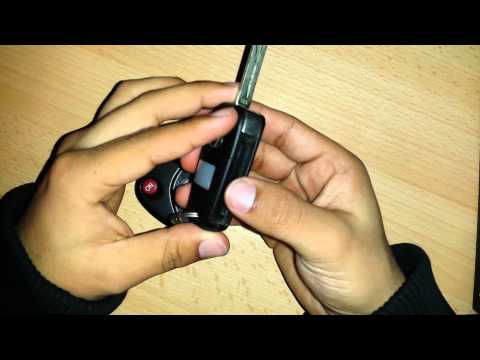
Is the Hyundai key remote not working anymore? Here’s how to change the battery. Take your ignition key and release the metal keyring. Use a screwdri…
Other guides you may be interested in
|
How to Change the Time on the Peugeot 208
Today's guide will show you how to set the clock on the Peugeot 208's onboard computer, following the instructions below. First, get in the car and turn on the instrument panel; then press and hold the settings button on the panel for a few seconds until the time starts to flash, as shown in the video. At this point, press the left button to correctly set the time, adjusting the hour first and then the minutes; exit the onboard computer menu to save all the changes made! by ScegliAuto More videos
|
|
For advertising on this site Write to info@scegliauto.com
ScegliAuto is not responsible for any inaccuracy of the data in the lists. To report any inaccuracy or your business (if you own the business in question), please write to info@scegliauto.com
Number of seconds to generate the page: 0.029
(c) ScegliAuto 2026 - info@scegliauto.com - Privacy policy VAT number: IT01247470535 |
