
|
Do it yourself
| |||
| ||||


Display Unit Measurement Conversion
Model: Infiniti G
V36
- Years:
2007, 2008, 2009, 2010, 2011, 2012, 2013, 2014, 2015
Video tutorial
Generally, it is possible to set the measurement units of the parameters displayed on the onboard computer display through the main menu, but in this case, probably because it is a vehicle not designed for the European market, it is necessary to modify the wiring of the display itself. Start by removing the plastic frame around the central console display (it is clipped in, so just pull it forward) and then remove the clock and the display itself; intercept the brown wire on each of the two connectors attached to the display and create a so-called bridge. When reassembling everything, the temperatures will be displayed in degrees Celsius.
Updated on 13 February 2026 by ScegliAuto
Related tutorials
Citroen C3
(2009-2016 /
SC)
In this video, learn how to change the units on the Citroen C3 display. On the left side of the screen, there are three buttons: the central one is f…

MG S5 EV
(2024-2026 /
Es34)
Today we will see how to change the travel units on an MG S5 EV vehicle. To perform this operation, we need to turn on the vehicle's instrument panel…
Citroen C3
(2002-2009 /
FC, FN)
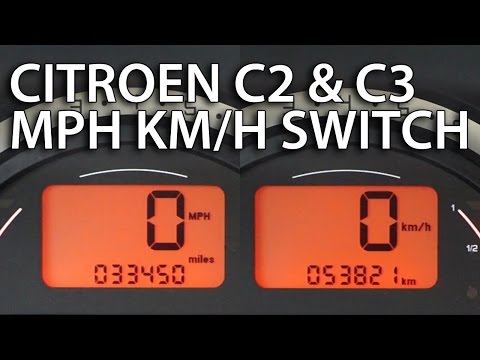
In this video tutorial, you will learn how to change the metric units on a Citroen C3, as well as on other models from the manufacturer. Get in the v…
Other guides you may be interested in
|
Where to Find and How to Remove the Spare Wheel of a Peugeot 5008?
The spare wheel of a Peugeot 5008 is located under the rear of the vehicle. To remove it, you need to lift the third row of seats to access the fixing bolt that holds the spare wheel in position. Using the correct spanner, proceed to unscrew the fixing bolt until the wheel is no longer secured. At this point, you can extract the spare wheel from underneath the vehicle. Once you have completed this step, you are free to fit the spare wheel. Ensure you correctly remount the spare wheel and securely tighten the fixing bolt when you are finished. by ScegliAuto More videos
|
|
For advertising on this site Write to info@scegliauto.com
ScegliAuto is not responsible for any inaccuracy of the data in the lists. To report any inaccuracy or your business (if you own the business in question), please write to info@scegliauto.com
Number of seconds to generate the page: 0.093
(c) ScegliAuto 2026 - info@scegliauto.com - Privacy policy VAT number: IT01247470535 |
