
|
Do it yourself
| |||
| ||||



How to Reset the Service Light on a Kia Optima
Model: Kia Optima / K5
MK 4, JF
- Years:
2015, 2016, 2017, 2018, 2019, 2020
Video tutorial
If you have changed the engine oil on this model of car, you will need to complete the job by resetting the service light that has illuminated on the instrument panel. The description below and the video will guide you through all the steps. First, access the driver's seat: turn on the ignition. Scroll through the menu on the display until you see the remaining distance to the service. Press and hold the enter button on the right side of the steering wheel for about 5 seconds. The reset option will appear on the display. Release the button.
Updated on 6 June 2026 by ScegliAuto
Related tutorials
Kia Optima / K5
(2015-2020 /
MK 4, JF)
Let's learn how to reset the service light in the Kia Optima. Performing this procedure implies that all the maintenance tasks specified in the car's…

Kia Optima / K5
(2015-2021 /
MK 5, DL3)
Resetting the service light on a KIA Optima, as shown in this tutorial, is an extremely simple and quick operation. Before proceeding, ensure all sch…
Kia Optima / K5
(2015-2020 /
MK 4, JF)
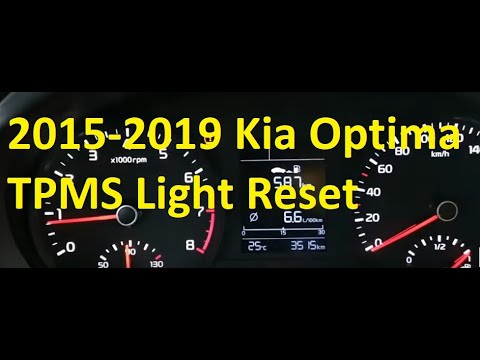
This brief video guide shows how to reset the tyre pressure warning light on a Kia Optima, mk4 model produced from 2015 to 2020. If the tyre pressure…
Other guides you may be interested in
|
How to Reset the Tire Pressure Light on a MG ZS?
On the instrument cluster of the MG ZS, the tire pressure light that appears can be reset by inflating the tires to the correct pressure: this value will be indicated on the sticker attached to the driver's door pillar. Once the tires have been properly inflated, you can turn on the instrument cluster and navigate through the menu until you find the option that indicates tire pressure: if this screen shows the new values, the light will turn off; otherwise, you will need to drive for a few miles so that the sensors can read the new values and turn off the light afterward. by ScegliAuto More videos
|
|
For advertising on this site Write to info@scegliauto.com
ScegliAuto is not responsible for any inaccuracy of the data in the lists. To report any inaccuracy or your business (if you own the business in question), please write to info@scegliauto.com
Number of seconds to generate the page: 0.073
(c) ScegliAuto 2026 - info@scegliauto.com - Privacy policy VAT number: IT01247470535 |
