
|
Do it yourself
| |||
| ||||


Model: Kymco Dink
Let's see the process of how to change the time on the display of the instrument panel of the Kymco Dink R 150. First, we put the scooter on the stand and start turning on the instrument panel; then we press and hold the up arrow button, waiting for the clock display to start flashing, as shown in the video. At this point, we change the hour first and then the minutes, pressing the button again to exit the clock setting; then we verify that the changes have been saved correctly!
Posted on 3 June 2025 by ScegliAuto
Video tutorial
Related tutorials
Dink
In this guide, you will discover the main steps to perform routine maintenance by changing the engine oil of the Kymco Dink 150 scooter. First, place…

Dink
You can perform the engine oil change on the Kymco Dink 150 by loosening the drain plug of the oil sump, which is located at the central lower part o…

Dink
In order to replace the rear brake pads of the Kymco Dink R 150, you will need to loosen the screws that hold the brake caliper to the corresponding …
|
How to Reset the Oil Service on the Yamaha YZF-R25?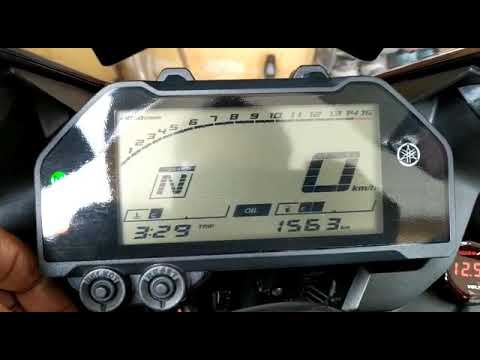
In this tutorial, see how to reset the oil service on the Yamaha YZF-R25, a very simple and quick operation. Before proceeding, ensure that all required scheduled maintenance tasks are completed. Start by inserting the key and turning on the instrument panel; it is not necessary to start the engine. Then, by repeatedly pressing the left button on the dashboard, navigate to the mileage interval labelled "OIL". Once done, press and hold the right button for about 5 seconds, or for the time necessary to reset the interval correctly. by ScegliAuto More videos
|
|
For advertising on this site Write to info@scegliauto.com
ScegliAuto is not responsible for any inaccuracy of the data in the lists. To report any inaccuracy or your business (if you own the business in question), please write to info@scegliauto.com
Number of seconds to generate the page: 0.006
(c) ScegliAuto 2026 - info@scegliauto.com - Privacy policy VAT number: IT01247470535 |
