
|
Do it yourself
| |||
| ||||


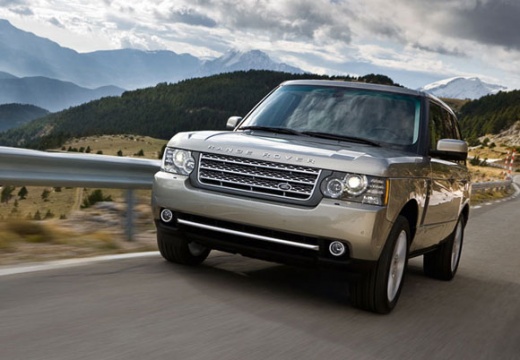
How to Remove the Mirror from an External Mirror on a Range Rover Sport
Model: Land Rover Range Rover
L322, MK 3
- Years:
2002, 2003, 2004, 2005, 2006, 2007, 2008, 2009, 2010, 2011, 2012
This video is currently unavailable
Let's see how to remove the mirror from an external mirror on a Range Rover Sport. Use a plastic-coated lever (rubber) to pry between the perimeter of the mirror frame and the mirror glass. Pry until the plastics detach from the mirror (disconnect the power cable); this is a delicate operation because the glass or the mirror itself could break. Remove the screws to disconnect the mirror cover and replace the damaged part with a new one (if needed). Be careful to engage the plastic snap clips into the mirror supports.
Updated on 11 March 2026 by ScegliAuto
Related tutorials
Land Rover Range Rover
(2002-2012 /
L322, MK 3)
How to remove the car's side mirror? Let's see how to remove the mirror from the Range Rover Sport. Pry between the edge of the mirror housing and th…

Land Rover Range Rover
(2002-2012 /
L322, MK 3)
In a few simple steps, we will see the disassembly and replacement of the external rearview mirror of the Land Rover Range Rover Sport. First, we ope…

Land Rover Range Rover
(2012-2021 /
MK 2)
Let's see the information regarding the disassembly and replacement of the external rearview mirror of the Land Rover Range Rover. First of all, we o…
Other guides you may be interested in |
How to reset the tyre pressure warning light on the Kia Niro EV?
To reset the tyre pressure warning light on the Kia Niro EV, inflate the tyres until they reach the correct pressure value. This value is indicated on the sticker attached to the driver's door pillar. Once the tyres are inflated, turn on the instrument cluster to check that the warning light has completely disappeared from the display. If it is still present, you may need to drive for a few miles to ensure it disappears completely from the screen. by ScegliAuto More videos
|
|
For advertising on this site Write to info@scegliauto.com
ScegliAuto is not responsible for any inaccuracy of the data in the lists. To report any inaccuracy or your business (if you own the business in question), please write to info@scegliauto.com
Number of seconds to generate the page: 0.132
(c) ScegliAuto 2026 - info@scegliauto.com - Privacy policy VAT number: IT01247470535 |
