
|
Do it yourself
| |||
| ||||


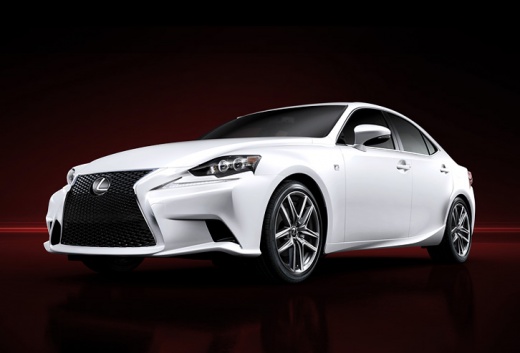
Instructions for Replacing Start&Stop Button
Model: Lexus IS
MK 3
- Years:
2013, 2014, 2015, 2016, 2017, 2018, 2019, 2020, 2021, 2022, 2023, 2024
This video is currently unavailable
Many cars are equipped with a button for starting and stopping the engine, and as an accessory, you can also choose the colour of this button; the video shows the replacement of the original black button with a red one; replacing it is very simple, just unclip the portion of the dashboard to which the button is attached, then pull the button out of its slot and disconnect the corresponding connector; before fitting the new button, check if the frame around it is chrome or satin and, if necessary, swap it with the original; then reverse the process by inserting the new button into the slot, connecting the plug, and reattaching the dashboard portion.
Updated on 16 February 2026 by ScegliAuto
Related tutorials
Lexus IS
(2005-2013 /
MK 2)
The procedure to reset the service light is manual and does not require any diagnostic tools: it is performed with a precise sequence of steps using …

Lexus IS
(2005-2013 /
MK 2)
These brief and simple instructions will show you how to activate and deactivate the traction control on a Lexus IS. It is advised not to disable the…
Lexus IS
(2005-2013 /
MK 2)
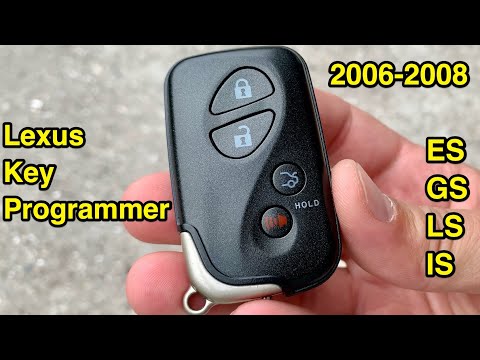
Let’s briefly review the instructions that will allow you to program the remote key for the Lexus IS. To program the remote, you will need a diagnost…
Other guides you may be interested in
|
How to Reset the AdBlue Warning Light on a Peugeot Boxer
To reset the AdBlue system on a 2018 Peugeot Boxer, follow these steps: Start the engine and ensure the vehicle is parked in a well-ventilated area. Locate the "MENU" button on the dashboard or steering wheel controls. Press and hold the "MENU" button until the menu options appear on the display. Use the arrow buttons or scroll wheel to access the "Vehicle Settings" or "Settings" menu. Select the "AdBlue" or "AdBlue System" option. Look for the "Recharge" or "Reset" option in the AdBlue menu. Once you find the reset option, select it and confirm your choice when prompted. The system will be reset, and a confirmation message may appear on the display. Turn off the engine and wait a few seconds. Restart the engine and check that the AdBlue system has been reset. by ScegliAuto More videos
|
|
For advertising on this site Write to info@scegliauto.com
ScegliAuto is not responsible for any inaccuracy of the data in the lists. To report any inaccuracy or your business (if you own the business in question), please write to info@scegliauto.com
Number of seconds to generate the page: 0.024
(c) ScegliAuto 2026 - info@scegliauto.com - Privacy policy VAT number: IT01247470535 |
