
|
Do it yourself
| |||
| ||||


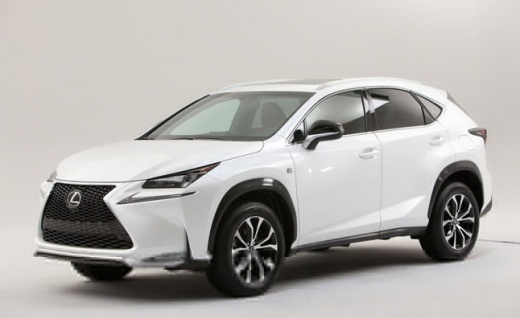
How to reset the Oil Service light on the Lexus NX?
Model: Lexus NX
MK 1
- Years:
2014, 2015, 2016, 2017, 2018, 2019, 2020, 2021
Video tutorial
To reset the Oil Service light on the Lexus NX, turn on the ignition using the controls on the right side of the steering wheel. Use the arrow to scroll right until you find the settings option. Then scroll down to find "Oil Maintenance"; selecting this option will open a confirmation message where you need to select "Yes". This will completely reset the Oil Service light on the instrument panel, allowing you to turn off the ignition.
Updated on 22 August 2026 by ScegliAuto
Related tutorials
Lexus NX
(2014-2021 /
MK 1)
In order to reset the Service light of the Lexus NX300H, you will need to turn on the instrument panel by inserting the ignition key into the ignitio…

Lexus NX
(2014-2021 /
MK 1)
In this tutorial we can see how to reset the oil service in the Lexus NX 300h, an extremely simple and quick operation, to be carried out only once a…

Lexus NX
(2021-2026 /
Az20, MK 2)
Today, we will discover the necessary instructions to reset the service light for the routine maintenance oil change on the Lexus NX. First, get in t…
Other guides you may be interested in
|
How to Reset the Tyre Pressure Warning Light on a Kia Rio?
The tyre pressure warning light displayed on the instrument cluster of the Kia Rio can be reset by inflating the tyres until they reach the recommended pressure value: this value is indicated on the sticker affixed to the driver's door pillar. Once all tyres have been inflated to the recommended pressure, turn on the ignition to check that the light has disappeared: if it is still present, it may be necessary to drive for a few miles, allowing the sensors to work and thus turning off the light. by ScegliAuto More videos
|
|
For advertising on this site Write to info@scegliauto.com
ScegliAuto is not responsible for any inaccuracy of the data in the lists. To report any inaccuracy or your business (if you own the business in question), please write to info@scegliauto.com
Number of seconds to generate the page: 0.022
(c) ScegliAuto 2026 - info@scegliauto.com - Privacy policy VAT number: IT01247470535 |
