
|
Do it yourself
| |||
| ||||


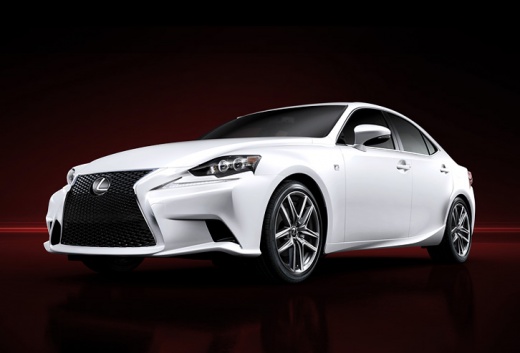
How to Reset the Tyre Warning Light on the Lexus IS250?
Model: Lexus IS
MK 3
- Years:
2013, 2014, 2015, 2016, 2017, 2018, 2019, 2020, 2021, 2022, 2023, 2024
Video tutorial
In this tutorial, you will see how to reset the tyre warning light on the Lexus IS250, a very simple and quick operation, to be performed only after restoring the correct pressure of each tyre according to the instructions in the manual. First, enter the vehicle, then insert the key and turn on the instrument panel. Next, locate the button depicting the warning light icon, located in the lower area of the dashboard on the driver's side, and hold it down until the warning light disappears from the dashboard.
Updated on 31 August 2026 by ScegliAuto
Related tutorials
Lexus IS
(2005-2013 /
MK 2)
In this new mini guide dedicated to your Lexus IS250 second series (2011), we will discover how to replace the front headlamp bulb independently, wit…
Lexus IS
(2013-2024 /
MK 3)
In this guide, you will learn how to reset the tyre pressure light on the Lexus IS 300 2.5. First, ensure that you have adjusted the tyre pressures t…

Lexus IS
(2005-2013 /
MK 2)
In this tutorial we can see how to reset the tire pressure light in the Lexus IS 300, an extremely simple and quick operation, to be carried out only…
Other guides you may be interested in
|
How to Reset the Tyre Light on a Toyota Aygo?
To reset the tyre light on a Toyota Aygo, start by locating the reset button, which is found in the glove compartment of the front passenger side. Turn on the car and ensure that the tyres are at the correct pressure. Then, press and hold the reset button for a few seconds until the tyre light either flashes or turns off, depending on the model. Release the button and wait for the reset procedure to complete. Restart your Toyota Aygo and check if the tyre light has turned off, indicating that the reset was successful. by ScegliAuto More videos
|
|
For advertising on this site Write to info@scegliauto.com
ScegliAuto is not responsible for any inaccuracy of the data in the lists. To report any inaccuracy or your business (if you own the business in question), please write to info@scegliauto.com
Number of seconds to generate the page: 0.091
(c) ScegliAuto 2026 - info@scegliauto.com - Privacy policy VAT number: IT01247470535 |
