
|
Do it yourself
| |||
| ||||


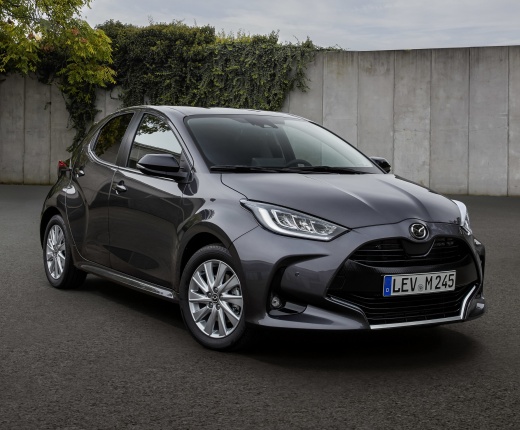
How to connect the smartphone to the Mazda 2 Hybrid
Model: Mazda 2
Xp210
- Years:
2022, 2023, 2024, 2025, 2026
Video tutorial
In this video, we can see how to connect our smartphone via Bluetooth to the Mazda 2 Hybrid: first of all, the phone's Bluetooth must be active and visible; we press "select phone" on the multimedia screen, then "add," it will find our phone, we pair the PIN, allow if we want, the synchronization of contacts and messaging. Now we go to "audio," select "source," then "Bluetooth source," and play a song from our library. We can set various parameters, such as ringtone volume, volume, and more. By using the USB cable and connecting the phone, we will use AppleCarPlay and all the mirroring functions, and by pressing the "Mazda" button, we return to the Home page.
Posted on 11 December 2024 by ScegliAuto
Related tutorials
Mazda 2
(2014-2023 /
DJ, MK 3)
To connect your smartphone to the Mazda 2 via Bluetooth, first make your portable device visible to other devices. Once done, tap "Communication" on …

Mazda 2
(2014-2023 /
DJ, MK 3)
To open the fuel filler door of the 2023 Mazda 2 Hybrid model, keep the central locking unlocked and lift the lever located near the left front seat …

Mazda 2
(2007-2014 /
MK 2, DH, DE)
The key fob on Mazda vehicles is very similar for all models from the same manufacturer, which means that replacing the key fob battery follows the s…
Other guides you may be interested in |
How to open the boot if it is stuck on a Mercedes B-Class?
On the Mercedes B-Class, the boot may become stuck, possibly due to a problem with the control button or the lock actuator. In this case, perform the emergency opening by following the simple procedure shown in this tutorial. First, unlock the locks with the remote control, then open the rear doors and, by operating the indicated lever, lower the backrest of the seat. Next, go inside the boot, locate the indicated gap, and manually unlock the lock using a small screwdriver. by ScegliAuto More videos
|
|
For advertising on this site Write to info@scegliauto.com
ScegliAuto is not responsible for any inaccuracy of the data in the lists. To report any inaccuracy or your business (if you own the business in question), please write to info@scegliauto.com
Number of seconds to generate the page: 0.005
(c) ScegliAuto 2026 - info@scegliauto.com - Privacy policy VAT number: IT01247470535 |
