
|
Do it yourself
| |||
| ||||



How to Reset the Maintenance Light on a Mazda CX-3
Model: Mazda Cx 3
MK 1
- Years:
2015, 2016, 2017, 2018, 2019, 2020, 2021, 2022, 2023
Video tutorial
To reset the maintenance light on a Mazda CX-3, the procedure is simple and is done through the instrument cluster display and the central joystick. Turn on the instrument cluster and use the joystick on the steering wheel (or console) to navigate the main menu. Select the "Applications" or "App" icon, then enter "Vehicle Status Monitoring". Scroll down to find the "Periodic Maintenance" option: within that, select "Oil Change". At this point, choose "Reset" and confirm by pressing the joystick. The system will ask for final confirmation: accept, and the light will turn off.
Posted on 29 June 2026 by ScegliAuto
Related tutorials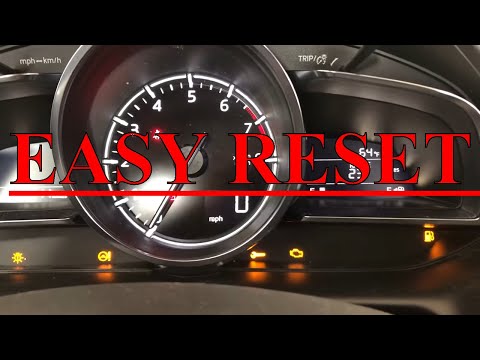
Mazda Cx 3
(2015-2023 /
MK 1)
Before you can start, sit in the driver’s seat of your Mazda CX3 and activate the instrument panel. Begin by selecting and confirming the "Applicatio…

Mazda Cx 3
(2015-2023 /
MK 1)
After changing the oil on the Mazda CX3, you need to reset the system that alerts you with a light on the instrument cluster about the need for servi…

Mazda Cx 3
(2015-2023 /
MK 1)
To properly and safely complete the manual reset of the service light on your Mazda CX3, you simply need to follow the procedure described in our new…
Other guides you may be interested in
|
How to open the boot if it is stuck on a Mercedes B-Class?
On the Mercedes B-Class, the boot may become stuck, possibly due to a problem with the control button or the lock actuator. In this case, perform the emergency opening by following the simple procedure shown in this tutorial. First, unlock the locks with the remote control, then open the rear doors and, by operating the indicated lever, lower the backrest of the seat. Next, go inside the boot, locate the indicated gap, and manually unlock the lock using a small screwdriver. by ScegliAuto More videos
|
|
For advertising on this site Write to info@scegliauto.com
ScegliAuto is not responsible for any inaccuracy of the data in the lists. To report any inaccuracy or your business (if you own the business in question), please write to info@scegliauto.com
Number of seconds to generate the page: 0.028
(c) ScegliAuto 2026 - info@scegliauto.com - Privacy policy VAT number: IT01247470535 |
