
|
Do it yourself
| |||
| ||||


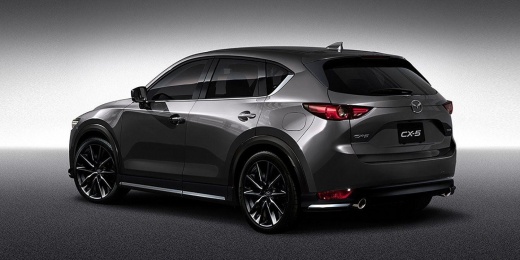
Resetting the Service Light on the Mazda CX-5
Model: Mazda CX-5
MK 2
- Years 2017-2024
When a warning light appears on the car's onboard computer, it can cause a sense of confusion and fear, thinking of something serious. However, the problem is not always real, and the service light is a prime example. This light can be reset directly from the dashboard controls without mechanical intervention. Locate the buttons below the gear lever and press the central one to access the menu. Scroll through until you find the entry related to the vehicle's health status and then select "maintenance". At this point, you need to enter each of the three options present and select the "reset" option. Finally, exit the menu and turn on the ignition to confirm the issue has been resolved.
Updated on 4 May 2026 by ScegliAuto
Video tutorial
Related tutorials
Mazda CX-5
(2017-2024 /
MK 2)
To manually reset the service light on your Mazda CX-5 (2023 model), follow the steps described below in the correct order to complete the operation …

Mazda CX-5
(2017-2024 /
MK 2)
When asked how to reset the Service light of a Mazda CX 5, and especially if we can do it ourselves without the need for equipment to connect to the …

Mazda CX-5
(2012-2017 /
MK 1, KE)
To reset the service light on a Mazda CX-5, you need to turn on the instrument cluster without starting the engine. Using the INFO switch on the stee…
Other guides you may be interested in
|
Where is the Spare Wheel in the Peugeot 5008?
This video shows where the spare wheel is located in the Peugeot 5008 and how to access it, useful in case of a puncture. As shown, the wheel is not in the usual boot compartment but underneath it, outside the vehicle. To free the wheel, first gather the tools provided, then open the boot, locate the small indicated hatch, and open it. Next, loosen the bolt just released using the large socket wrench enough to lower the wheel to the ground. by ScegliAuto More videos
|
|
For advertising on this site Write to info@scegliauto.com
ScegliAuto is not responsible for any inaccuracy of the data in the lists. To report any inaccuracy or your business (if you own the business in question), please write to info@scegliauto.com
Number of seconds to generate the page: 0.286
(c) ScegliAuto 2026 - info@scegliauto.com - Privacy policy VAT number: IT01247470535 |
