
|
Do it yourself
| |||
| ||||


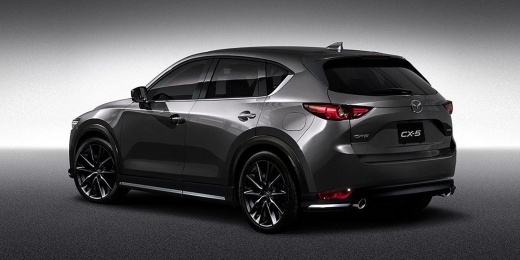
How to Remove the Dashboard of the Mazda CX-5
Model: Mazda CX-5
MK 2
- Years:
2017, 2018, 2019, 2020, 2021, 2022, 2023, 2024
Video tutorial
Follow the steps to remove and replace the entire dashboard, which is useful for accessing the cabin heating radiator of the Mazda CX-5. First, get inside the vehicle and start by removing the glove compartment by unscrewing the fixing screws; then remove the central plastic cover by disconnecting the electrical connector of the ignition button. At this point, remove the centre tunnel panel by disengaging the gear knob; then remove the central instrumentation, as well as the instrument cluster, the radio, and the climate control buttons, finally removing the dashboard!
Updated on 11 July 2026 by ScegliAuto
Related tutorials
Mazda CX-5
(2012-2017 /
MK 1, KE)
In this tutorial, we can see how to reset the tire pressure light in the Mazda CX-5, a very simple and quick operation, to be done only once the corr…

Mazda CX-5
(2012-2017 /
MK 1, KE)
To reset the trip meter on a Mazda CX-5, press and hold the button located in the centre of the dashboard, just above the speedometer: by continuing …

Mazda CX-5
(2017-2024 /
MK 2)
Performing the tire pressure warning light reset on a 2021 Mazda CX5 is a simple and quick operation that can be done independently. To reset it, we …
Other guides you may be interested in
|
How to Reset the Tyre Pressure Warning Light on a Kia Rio?
The tyre pressure warning light displayed on the instrument cluster of the Kia Rio can be reset by inflating the tyres until they reach the recommended pressure value: this value is indicated on the sticker affixed to the driver's door pillar. Once all tyres have been inflated to the recommended pressure, turn on the ignition to check that the light has disappeared: if it is still present, it may be necessary to drive for a few miles, allowing the sensors to work and thus turning off the light. by ScegliAuto More videos
|
|
For advertising on this site Write to info@scegliauto.com
ScegliAuto is not responsible for any inaccuracy of the data in the lists. To report any inaccuracy or your business (if you own the business in question), please write to info@scegliauto.com
Number of seconds to generate the page: 0.041
(c) ScegliAuto 2026 - info@scegliauto.com - Privacy policy VAT number: IT01247470535 |
