
|
Do it yourself
| |||
| ||||


How to Add an AUX Input to Your Car Radio
Model: Mazda 6
GG, MK 1
- Years:
2002, 2003, 2004, 2005, 2006, 2007, 2008
This video is currently unavailable
Adding an AUX output to your car radio means you can connect any device that has a minijack output. This can be useful for listening to music or connecting navigation devices, hands-free kits, etc. The first thing to do is have three pins and a minijack cable ready. By removing the black protective sheath from the cable, you will find three small wires that, once soldered, will create three terminals. Once the cable is prepared, you can pull out the car radio and connect the three pins, and then, at the back, connect the minijack cable. Try to route the cable in the most convenient way possible to connect various devices.
Updated on 10 February 2026 by ScegliAuto
Related tutorials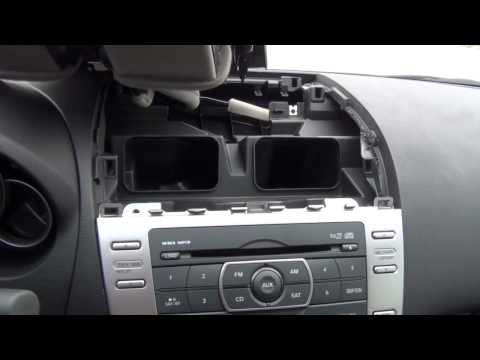
Mazda 6
(2008-2012 /
MK 2, GH)
To install an Aux input, it is necessary to remove the car radio to which the kit's control unit and the corresponding output cable will be connected…

Mazda 6
(2008-2012 /
MK 2, GH)
The video shows how to detach the plastic covers along the centre console, specifically the one near the handbrake and the one near the gear lever: b…
Mazda 6
(2002-2008 /
GG, MK 1)
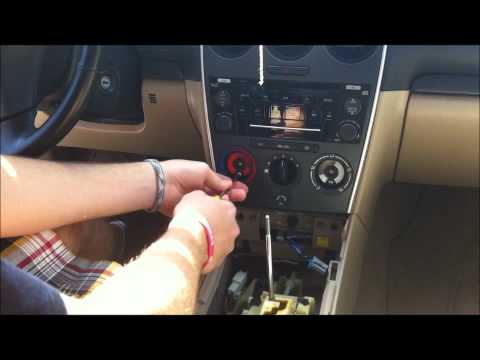
This video shows how to install an interface on a standard car radio. First, unscrew the gear knob and position it in R, remove the cup holder and th…
Other guides you may be interested in |
How to Open the Fuel Filler Flap in the Hyundai i30?
In this tutorial, you will learn how to open the fuel filler flap in the Hyundai i30, a very simple operation that follows the typical procedure of most vehicles. First, unlock the locks using the designated button on the remote, then open the driver's door, locate the release lever on the left side of the seat, and operate it. Next, move to the fuel filler flap, open it completely, unscrew the cap, and refuel as needed. To close the flap, simply press it gently. by ScegliAuto More videos
|
For advertising on this site Write to info@scegliauto.com
ScegliAuto is not responsible for any inaccuracy of the data in the lists. To report any inaccuracy or your business (if you own the business in question), please write to info@scegliauto.com
Number of seconds to generate the page: 0.010
(c) ScegliAuto 2026 - info@scegliauto.com - Privacy policy VAT number: IT01247470535 |
