
|
Do it yourself
| |||
| ||||


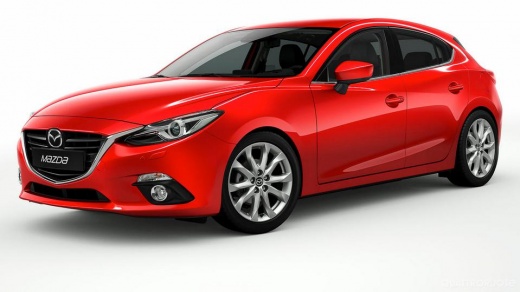
How to Reset the Tyre Warning Light on a Mazda 3?
Model: Mazda 3
BM, BN, MK 3
- Years:
2013, 2014, 2015, 2016, 2017, 2018, 2019
This video is currently unavailable
Resetting the tyre warning light on a Mazda 3 is an extremely simple and quick operation. Before proceeding, ensure that you have restored the correct pressure in each tyre. Start by sitting inside the vehicle, then insert the key and turn on the ignition. Next, locate the button with the icon of the warning light, situated on the left side of the dashboard, and hold it down until the warning light disappears completely from the display. Afterwards, restart the ignition and check that the reset was successful.
Updated on 9 September 2026 by ScegliAuto
Related tutorials
Mazda 3
(2013-2019 /
BM, BN, MK 3)
The tire pressure warning light indicates a possible loss of pressure or puncture in one or more tires; let's see how to reset the TPMS sensors on th…

Mazda 3
(2013-2019 /
BM, BN, MK 3)
Here is useful information on how to reset the tyre pressure warning on a Mazda 3; before performing the reset, ensure that all four tyres are at the…
Mazda 3
(2013-2019 /
BM, BN, MK 3)
.. In this tutorial, you will learn how to reset the tyre warning light on a Mazda 3, a very simple and quick operation. Before proceeding,.. …
Other guides you may be interested in
|
How to Remove the Toll Tag Holder from the Car Windscreen
The toll tag holder is usually attached to the car windscreen to ensure that the toll tag functions immediately when passing through barriers. However, if you decide to remove the holder, you should follow this procedure: - Insert the toll tag into the holder; - Pull the holder inwards to detach it from the windscreen; you can use a glass scraper or a stiff plastic card to assist you; After removing the holder, it is essential to remove the adhesive from the windscreen. To remove the adhesive, we recommend using a solvent-based spray that will remove the glue without clouding the area. by ScegliAuto More videos
|
|
For advertising on this site Write to info@scegliauto.com
ScegliAuto is not responsible for any inaccuracy of the data in the lists. To report any inaccuracy or your business (if you own the business in question), please write to info@scegliauto.com
Number of seconds to generate the page: 0.072
(c) ScegliAuto 2026 - info@scegliauto.com - Privacy policy VAT number: IT01247470535 |
