
|
Do it yourself
| |||
| ||||



How do you reset the Service indicator light on the Mercedes C-Class?
Model: Mercedes Classe C
W205
- Years 2014-2021
Video tutorial
Detailed instructions - On the instrument panel of the Mercedes C-Class, it will be possible to make the Service light disappear by turning the key to turn on the instrument panel and then holding down the OK and call answer buttons on the steering wheel spokes. By holding down these buttons, a menu will appear in which you can navigate with the steering wheel controls, selecting "ASSYST PLUS": then you will need to select "Full service" and "Conf. Full service". When the confirmation message is displayed, you will need to select "Yes", and then turn off the instrument panel to finish.
Posted on 18 September 2025 by ScegliAuto
Related tutorials
Mercedes Classe C
(2007-2013 /
W204)
.. how to reset the service light on a Mercedes C-Class vehicle. To reset the light on 2010 models, turn on the ignition and press the button located to.. …

Mercedes Classe C
(2007-2013 /
W204)
.. maintenance oil change on a Mercedes-Benz C-Class. First, get in the car and turn on the ignition. Then, access the service menu using the controls.. …
Mercedes Classe C
(2007-2013 /
W204)
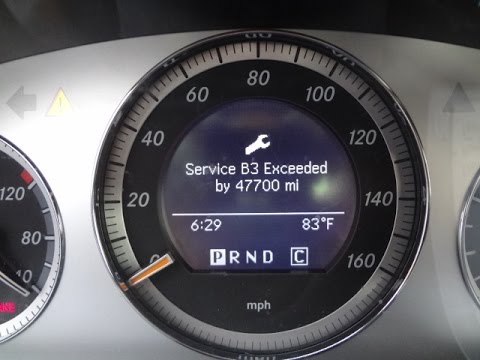
..ow to reset the light on the Mercedes C-Class. First, get in the vehicle and turn on the ignition. Next, press the settings button and navigate t.. …
Other guides you may be interested in
|
How to Adjust the Handbrake on a BMW 1 Series?
To adjust the handbrake on a BMW 1 Series, use a tool to pry off the leather cover that wraps around the base of the handbrake lever. Once this cover is removed, you will be able to locate the spring that regulates the handbrake tension. At this point, adjust the nut located at the base of the spring: tightening the nut will make the handbrake firmer and reduce the lever's travel. Conversely, loosening the nut will decrease the handbrake's firmness and increase the lever's travel. by ScegliAuto More videos
|
|
For advertising on this site Write to info@scegliauto.com
ScegliAuto is not responsible for any inaccuracy of the data in the lists. To report any inaccuracy or your business (if you own the business in question), please write to info@scegliauto.com
Number of seconds to generate the page: 0.150
(c) ScegliAuto 2026 - info@scegliauto.com - Privacy policy VAT number: IT01247470535 |
