
|
Do it yourself
| |||
| ||||


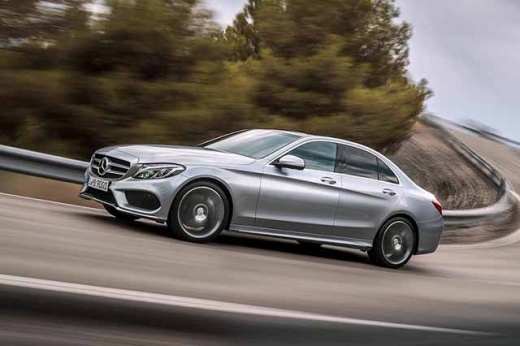
How to Reset the Service Light on a Mercedes-Benz C-Class
Model: Mercedes Classe C
W205
- Years 2014-2021
To reset the service light on a Mercedes-Benz C-Class, turn on the ignition without starting the engine. Using the controls on the steering wheel, navigate the display to the total mileage screen. Press and hold the OK button and the Phone Answer button simultaneously for a few seconds until the service menu opens. Use the directional buttons to select Assyst Plus, then enter the maintenance menu and choose Service Performed. Select the type of service performed, confirm the reset of the maintenance interval, and wait for the procedure to complete. Finally, exit the menu, turn off the ignition, and turn it back on to verify that the service light has been successfully reset.
Posted on 29 June 2026 by ScegliAuto
Video tutorial
Related tutorials
Mercedes Classe C
(2000-2007 /
W203)
.. the routine maintenance oil change on a Mercedes-Benz C-Class. First, get inside the vehicle and turn on the ignition. Next, press the menu button on.. …
Mercedes Classe C
(2014-2021 /
W205)
.. of the engine oil change on the Mercedes C-Class. First, get inside the vehicle and turn on the ignition by pressing the start button. Next, press.. …
Mercedes Classe C
(2007-2013 /
W204)
..ow to reset the light on the Mercedes C-Class. First, get in the vehicle and turn on the ignition. Next, press the settings button and navigate t.. …
Other guides you may be interested in
|
How to Adjust the Headlights on a Dacia Sandero
To adjust the headlights on a Dacia Sandero, turn on the instrument panel by rotating the appropriate key in the ignition switch. Once the panel is on, use the knob located to the left of the steering column, at the bottom of the dashboard. Turning this knob counterclockwise will lower the beam of the headlights; conversely, turning it clockwise will raise the beam. Once the correct angle is found, you can turn off the instrument panel. by ScegliAuto More videos
|
|
For advertising on this site Write to info@scegliauto.com
ScegliAuto is not responsible for any inaccuracy of the data in the lists. To report any inaccuracy or your business (if you own the business in question), please write to info@scegliauto.com
Number of seconds to generate the page: 0.070
(c) ScegliAuto 2026 - info@scegliauto.com - Privacy policy VAT number: IT01247470535 |
