
|
Do it yourself
| |||
| ||||


Rear Brake Disc and Pad Replacement
Model: Mercedes Classe C
W203
- Years:
2000, 2001, 2002, 2003, 2004, 2005, 2006, 2007
Video tutorial
Lift the car on the lift and remove the rear wheels. Locate the hole on the front of the caliper and use a punch and hammer to drive out the pin that secures the pads and the metal clip. Use a sturdy flathead screwdriver to pry between the pad and the disc to create some space. This makes it easier to fully remove the pin, even by hand. Disconnect the brake wear sensor, and with the screwdriver, push the pads until the piston is fully retracted inside the caliper, then remove the pads. To remove the caliper, simply unscrew the two 16mm bolts. It is advisable not to let the caliper hang from the brake line but to support its weight with a rope. Removing the disc is very simple; just unscrew the screw and give it a few taps with a hammer (without overdoing it). Clean any dirt with a suitable spray cleaner or a wire brush. When reinstalling the disc, pay attention to the alignment of the screw hole and ensure the disc is flush against the hub. Reinstall the caliper, and to facilitate the reinstallation of the pin, disconnect the sensor connector. Insert the new pads, the retaining clip, and the pin to secure everything. Reconnect the sensor connector and plug it in. IMPORTANT: Before moving the car, pump the brake pedal a few times! If you decided to change the pads because the warning light came on, it is mandatory to also replace the wear sensor.
Updated on 4 February 2026 by ScegliAuto
Related tutorials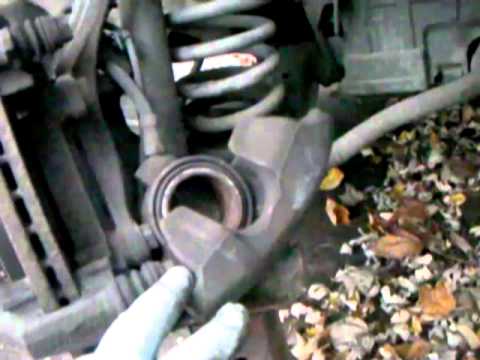
Mercedes Classe C
(1983-1993 /
)
Brake rotors are a crucial part of vehicle safety and, of course, for the people on board. This component of the vehicle must be replaced immediately…

Mercedes Classe C
(2014-2021 /
W205)
In this video we see how to retract the rear brake pistons on a Mercedes C-Class: lift the car and secure it on jack stands, then release the electri…

Mercedes Classe C
(1993-2000 /
W202)
Lift the vehicle and remove the wheel. Remove the caliper support bracket using a 17 mm ratchet wrench by unscrewing the two rear screws and set it a…
ScegliAuto offers an extensive international collection of automotive tutorials available in 12 languages. Each guide combines instructional videos with original explanations written by experienced human editors, along with information about the car models covered.
Other guides you may be interested in
|
How to Reset the Tyre Pressure Warning Light in the Suzuki Swift?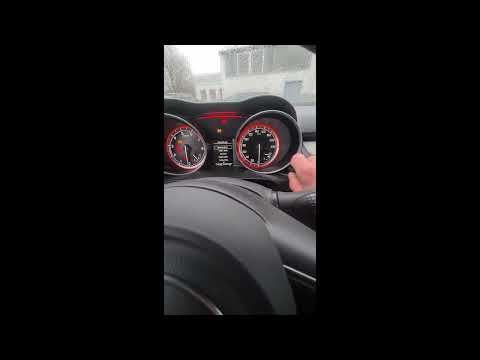
To reset the tyre pressure warning light in the Suzuki Swift, turn on the ignition, then navigate through the menu using the button located on the right side: this button should be rotated to locate the options displayed. You will need to select the option indicating tyre pressure and then select the "Reset" option: this way, the sensors will read the new tyre pressure values. If the tyres have been inflated to the correct pressure, the light will turn off automatically. by ScegliAuto More videos
|
|
For advertising on this site Write to info@scegliauto.com
ScegliAuto is not responsible for any inaccuracy of the data in the lists. To report any inaccuracy or your business (if you own the business in question), please write to info@scegliauto.com
Number of seconds to generate the page: 0.021
(c) ScegliAuto 2026 - info@scegliauto.com - Privacy policy - About us VAT number: IT01247470535 |
