
|
Do it yourself
| |||
| ||||


Replacing Front Brake Pads
Model: Mercedes Sprinter
MK 2, W906
- Years 2006-2018
Lift the vehicle on a hydraulic lift or suitable axle stands; then remove the front wheel to access the brake caliper and disconnect the wear sensor connected to the outer pad; use a screwdriver to lever between the pads and the disc to facilitate the removal of the pads; then unscrew the lower mounting pin of the caliper and flip it upwards to access the pads: remove the worn ones and insert the new ones, taking care with the wear sensor cable routing; then reconnect the sensor connector and tighten the previously unscrewed pin.
Updated on 11 February 2026 by ScegliAuto
This video is currently unavailable
Related tutorials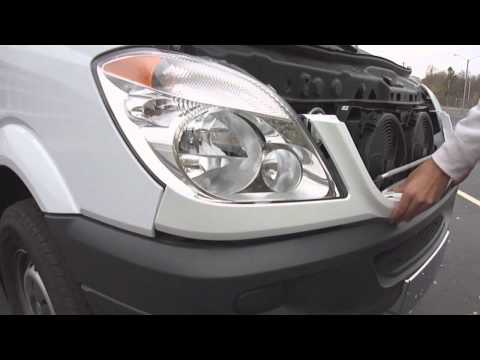
Mercedes Sprinter
(2006-2018 /
MK 2, W906)
The grille is a component of the car that serves not only a decorative function but also, primarily, a protective one. Its role is to protect against…

Mercedes Sprinter
(2006-2018 /
MK 2, W906)
Suddenly the key of our Mercedes Sprinter stops working? Calm down, it may not be broken and need to be repaired or even replaced, probably, as often…

Mercedes Sprinter
(2018-2026 /
MK 3, Br910, Br907)
Replacing the turn signal bulb located inside the external rearview mirror of the 2021 Mercedes Sprinter is a simple and quick operation that can be …
Other guides you may be interested in
|
How to Reset the Tyre Pressure Light on the Opel Grandland X
While driving, if you notice the tyre pressure warning light coming on, first check the actual inflation pressure of the tyres and, if necessary, restore the pressures recommended by the manufacturer. After restoring the correct pressures, you need to reset the warning light that has illuminated on the instrument cluster. To do this, locate the reset button on the lower central console. Press this button and hold it down for at least 3 seconds, after which the low pressure indication will turn off. by ScegliAuto More videos
|
|
For advertising on this site Write to info@scegliauto.com
ScegliAuto is not responsible for any inaccuracy of the data in the lists. To report any inaccuracy or your business (if you own the business in question), please write to info@scegliauto.com
Number of seconds to generate the page: 0.109
(c) ScegliAuto 2026 - info@scegliauto.com - Privacy policy VAT number: IT01247470535 |
