
|
Do it yourself
| |||
| ||||


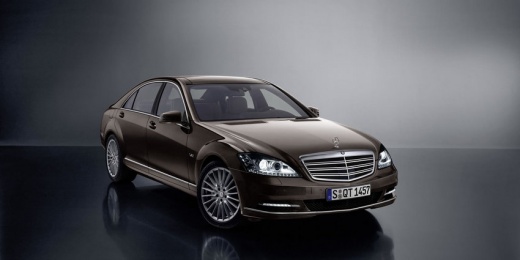
Instructions for Removing Navigation Display
Model: Mercedes Classe S
W221, MK 5
- Years:
2005, 2006, 2007, 2008, 2009, 2010, 2011, 2012, 2013
Video tutorial
To remove the navigation display, first remove the plastic trim that covers the entire dashboard: start by prying off the upper edge using a plastic tool; then remove the lower part. At this point, unscrew the fastening screws of the central element that contains the various indicator lights and is located between the navigation display and the instrument cluster. Finally, proceed to remove the navigation display by pulling it forward and disconnecting the corresponding connectors from the back, releasing the locking tabs.
Updated on 11 February 2026 by ScegliAuto
Related tutorials
Mercedes Classe S
(2013-2020 /
MK 6, W222)
To adjust the brightness of the display on a Mercedes S-Class, you need to use two different input controls: to change the brightness of the instrume…

Mercedes Classe S
(2005-2013 /
W221, MK 5)
Replacing the battery is one of the common DIY maintenance tasks, but it is recommended to dispose of the old one properly. In this car model, the ba…

Mercedes Classe S
(1991-1998 /
W140, MK 3)
The suspension arm of the car connects the frame to the struts. It can bend due to an impact or wear out, in which case it needs to be replaced. A de…
Other guides you may be interested in
|
How to reset the tyre pressure warning light on the Kia Niro EV?
To reset the tyre pressure warning light on the Kia Niro EV, inflate the tyres until they reach the correct pressure value. This value is indicated on the sticker attached to the driver's door pillar. Once the tyres are inflated, turn on the instrument cluster to check that the warning light has completely disappeared from the display. If it is still present, you may need to drive for a few miles to ensure it disappears completely from the screen. by ScegliAuto More videos
|
|
For advertising on this site Write to info@scegliauto.com
ScegliAuto is not responsible for any inaccuracy of the data in the lists. To report any inaccuracy or your business (if you own the business in question), please write to info@scegliauto.com
Number of seconds to generate the page: 0.027
(c) ScegliAuto 2026 - info@scegliauto.com - Privacy policy VAT number: IT01247470535 |
