
|
Do it yourself
| |||
| ||||


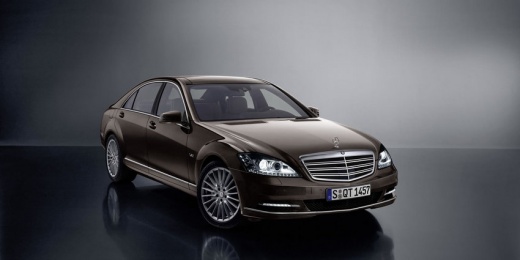
How to Replace the Key Battery in a Mercedes S550
Model: Mercedes Classe S
W221, MK 5
- Years:
2005, 2006, 2007, 2008, 2009, 2010, 2011, 2012, 2013
Video tutorial
Replacing the key battery in your Mercedes S550 is a task anyone can handle and does not require the costly intervention of an expert. Just follow the instructions in this mini guide. First, remove the physical emergency key by sliding it out of its position. Next, using a thin, long object, gently push outward to separate the back cover from the front. At this point, simply replace the old battery with the new one. Finally, reposition the various components you removed earlier.
Updated on 9 June 2026 by ScegliAuto
Related tutorials
Mercedes Classe S
(2013-2020 /
MK 6, W222)
If you need to replace the remote key battery on this vehicle, follow the instructions and procedure outlined below. You can also check the video. Fi…

Mercedes Classe S
(2013-2020 /
MK 6, W222)
In this new guide, you will learn how to replace the button battery in the smart key of your Mercedes S-Class W222 (2013-2020). First, locate the but…

Mercedes Classe S
(2005-2013 /
W221, MK 5)
Often, your car key may malfunction simply due to one or more dead batteries. If you need to replace the button batteries in the smart key of the Mer…
Other guides you may be interested in
|
How to Reset the Tire Pressure Light on a MG ZS?
On the instrument cluster of the MG ZS, the tire pressure light that appears can be reset by inflating the tires to the correct pressure: this value will be indicated on the sticker attached to the driver's door pillar. Once the tires have been properly inflated, you can turn on the instrument cluster and navigate through the menu until you find the option that indicates tire pressure: if this screen shows the new values, the light will turn off; otherwise, you will need to drive for a few miles so that the sensors can read the new values and turn off the light afterward. by ScegliAuto More videos
|
|
For advertising on this site Write to info@scegliauto.com
ScegliAuto is not responsible for any inaccuracy of the data in the lists. To report any inaccuracy or your business (if you own the business in question), please write to info@scegliauto.com
Number of seconds to generate the page: 0.178
(c) ScegliAuto 2026 - info@scegliauto.com - Privacy policy VAT number: IT01247470535 |
