
|
Do it yourself
| |||
| ||||


How to Change the Rear Wiper Blade on a Mercedes C-Class
Model: Mercedes Classe C
W205
- Years 2014-2021
In this video, you will learn how to change the rear wiper blade on a Mercedes C-Class: first, you need to remove the plastic cover that protects the rear wiper mechanism. Then, using a wrench, loosen the nut that holds the wiper arm bolt, and remove it. In the meantime, you should have obtained the new part from a local parts store or any e-commerce site. Insert the new part and secure it with the nut you removed earlier. Cover it with its plastic protection. Now, let's install the rubber blade. Simply rest the wiper on the glass: the operation is complete.
Updated on 22 July 2026 by ScegliAuto
Video tutorial
Related tutorials
Mercedes Classe C
(2014-2021 /
W205)
.. replace the front wiper blades on the Mercedes C-Class. First, move to the front of the vehicle and begin to lift the front wiper arm; then disconnect.. …

Mercedes Classe C
(2014-2021 /
W205)
.. the windshield wiper blades of the Mercedes C-Class model W 205, we need to lift the wiper arm to position it vertically. Press on the pin located.. …
Mercedes Classe C
(2000-2007 /
W203)
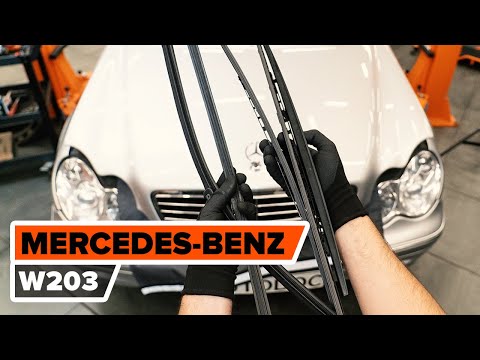
.. to replace the windshield wipers on a Mercedes C-Class. First, lift the wiper arm away from the windshield. Then, remove the wiper blade from its arm... …
Other guides you may be interested in |
Fuses Location and Diagram for the Volkswagen Crafter
In this guide, we will look at the location of the fuse boxes and how to find their diagram for the Volkswagen Crafter. First, get inside the vehicle and start by removing the plastic cover found under the steering wheel, to access the internal fuse box; you will find another fuse box in the engine compartment by removing the plastic cover located next to the battery. At this point, use the owner's manual to find the fuse diagram, which will allow you to identify and replace any blown fuses with new ones! by ScegliAuto More videos
|

|
For advertising on this site Write to info@scegliauto.com
ScegliAuto is not responsible for any inaccuracy of the data in the lists. To report any inaccuracy or your business (if you own the business in question), please write to info@scegliauto.com
Number of seconds to generate the page: 0.148
(c) ScegliAuto 2026 - info@scegliauto.com - Privacy policy VAT number: IT01247470535 |
