
|
Do it yourself
| |||
| ||||


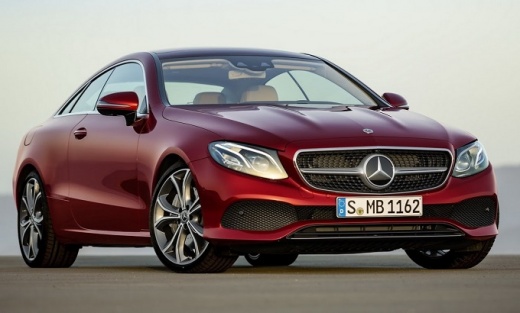
How to Disable Parking Sensors on a Mercedes Benz E-Class
Model: Mercedes Classe E
W213
- Years:
2016, 2017, 2018, 2019, 2020, 2021, 2022, 2023
Video tutorial
In this brief tutorial video, you can see the entire procedure to disable the parking sensors on a Mercedes Benz E-Class, model W213, produced from 2016 to 2023. This operation is very simple as there is a dedicated disable button located on the central tunnel control panel. To disable the parking sensors, just press this button marked with the letter "P" as shown in the video. The disablement will be confirmed by the red indicator light that will activate on the button once pressed.
Updated on 8 August 2026 by ScegliAuto
Related tutorials
Mercedes Classe E
(2009-2016 /
W212)
.. To replace the parking sensors on the Mercedes E-Class, you need to work on the inside of the bumper, accessing from the bottom of the car. You will need.. …
Mercedes Classe E
(2009-2016 /
W212)
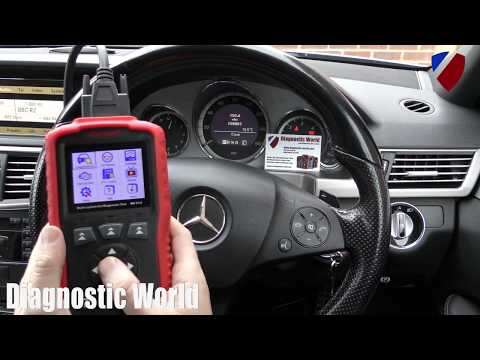
.. the parking sensor control unit on a Mercedes E-Class; this procedure is performed when the parking sensors are stuck or not functioning. The first step.. …

Mercedes Classe E
(2002-2009 /
W211)
.. how to disable the sensors on the Mercedes E-Class W211: some users find the "beep beep" of the sensors annoying during maneuvers and prefer to turn.. …
Other guides you may be interested in |
How to Open the Fuel Filler Flap in the Hyundai i30?
In this tutorial, you will learn how to open the fuel filler flap in the Hyundai i30, a very simple operation that follows the typical procedure of most vehicles. First, unlock the locks using the designated button on the remote, then open the driver's door, locate the release lever on the left side of the seat, and operate it. Next, move to the fuel filler flap, open it completely, unscrew the cap, and refuel as needed. To close the flap, simply press it gently. by ScegliAuto More videos
|
|
For advertising on this site Write to info@scegliauto.com
ScegliAuto is not responsible for any inaccuracy of the data in the lists. To report any inaccuracy or your business (if you own the business in question), please write to info@scegliauto.com
Number of seconds to generate the page: 0.034
(c) ScegliAuto 2026 - info@scegliauto.com - Privacy policy VAT number: IT01247470535 |
