
|
Do it yourself
| |||
| ||||


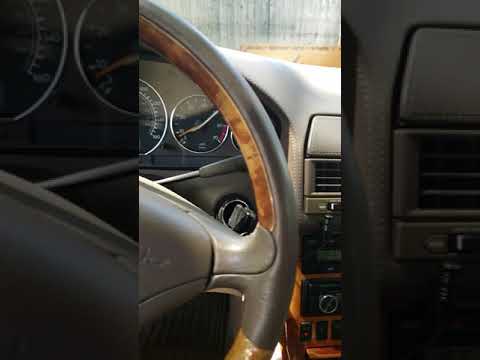
How to reset the RunFlat indicator on a Mercedes car
Model: Mercedes Mercedes Various
In this video we see how to reset the Run Flat indicator on most Mercedes cars (excluding Class A and Class B). We start the engine, and we will have to operate on the directional keypad located on the left side of the steering wheel. We press the left button three times, until we reach the "serv" option. From here, we go to the submenu until we reach the "Tyre pressure" option. We press it once again and we will find the tire pressure. We then press "ok" to confirm. We have the RunFlat indicator active. Press "OK" to reset it and now it has been re-initialized. Just press the back arrow to return to the main menu.
Posted on 5 June 2024 by ScegliAuto
Video tutorial
Related tutorials
Mercedes Mercedes Various
If you have changed the engine oil and filter on this commercial vehicle, you need to reset the service warning light that has illuminated on the das…

Mercedes Mercedes Various
Learn how to turn off the service indicator on the Mercedes Mbux, thanks to the support provided by the available tutorial video. First, turn on the …
Mercedes Mercedes Various
The ESP is a safety system that intervenes in case of skidding by adjusting engine power and braking individual wheels with varying intensity; by app…
Other guides you may be interested in
|
Frequently Asked QuestionsHow to reset the tyre pressure warning light on the Dacia Sandero?
To reset the tyre pressure warning light on the Dacia Sandero, inflate all the tyres to the pressure indicated on the label on the driver's door. Once the tyres are inflated, turn on the ignition and navigate through the menu using the controls on the right side of the steering wheel. Scroll with the arrows to find the tyre pressure option: by holding down the OK button located on the right side of the steering wheel, you can reset the warning light. by ScegliAuto More videos
|
|
For advertising on this site Write to info@scegliauto.com
ScegliAuto is not responsible for any inaccuracy of the data in the lists. To report any inaccuracy or your business (if you own the business in question), please write to info@scegliauto.com
Number of seconds to generate the page: 0.155
(c) ScegliAuto 2026 - info@scegliauto.com - Privacy policy VAT number: IT01247470535 |
