
|
Do it yourself
| |||
| ||||


How to reset the service indicator of the MG 3
Model: MG 3
MK 2
- Years 2011-2024
To manually reset the service indicator on the display of the instrument panel of your MG 3, you do not need a diagnostic tool. In fact, all you have to do is carefully read the following guide and follow the described procedure. First, get into the car and insert the key, then turn on the ignition and use the button located at the end of the left lever on the steering wheel to navigate through the menu options. Once you have found the screen showing the remaining kilometers until the next service, pull the left lever towards you and you're done.
Posted on 1 August 2024 by ScegliAuto
Video tutorial
Related tutorials
MG 3
(2024-2026 /
MK 3)
In this tutorial we can see how to reset the service in the MG MG3, an extremely simple and quick operation, to be carried out only once all schedule…

MG 3
(2011-2024 /
MK 2)
In this tutorial we can see how to reset the service in the MG MG3, an extremely simple and fast operation, to be carried out only once all scheduled…

MG 3
(2011-2024 /
MK 2)
Below we will discover how to reset the service maintenance light for the regular oil change of the MG 3 gearbox. First, we get into the car and star…
Other guides you may be interested in
|
BMW X1 Battery Replacement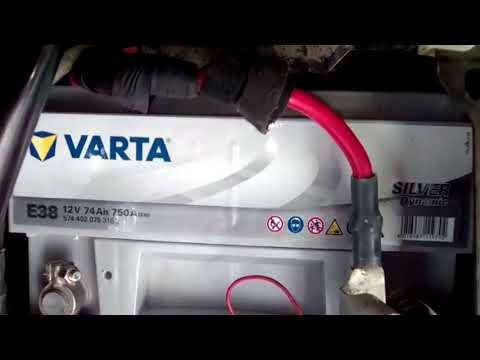
In this video tutorial, you will learn how to remove and replace the battery in a BMW X1. First, lift the hood and locate the battery. Next, use a wrench to remove the air filter hose and disconnect the nearby tubes along with the entire airbox, as shown in the video. Remove the cover bar over the battery by unscrewing all the bolts on both sides. Once removed, disconnect the battery terminals by unscrewing the nuts. At this point, remove the bracket at the bottom that holds it in place by unscrewing the bolt, and then extract the battery! by ScegliAuto More videos
|

|
For advertising on this site Write to info@scegliauto.com
ScegliAuto is not responsible for any inaccuracy of the data in the lists. To report any inaccuracy or your business (if you own the business in question), please write to info@scegliauto.com
Number of seconds to generate the page: 0.103
(c) ScegliAuto 2026 - info@scegliauto.com - Privacy policy VAT number: IT01247470535 |
