
|
Do it yourself
| |||
| ||||


How do you reset the Service light on the Mini Cooper?
Model: Mini Mini
R52, R50, R53
- Years 2001-2007
You can completely remove the Service indicator from the Mini Cooper instrument panel by turning on the instrument panel and navigating to the menu by pressing the button located at the end of the lever to the left of the steering wheel. When the car icon appears on a bridge, you must hold down the button at the end of the lever until a confirmation message appears. The same operation must be performed when the oil icon appears. After both reset operations have been performed, you can turn off and on the instrument panel to verify that the indicator has disappeared.
Posted on 2 January 2025 by ScegliAuto
Video tutorial
Related tutorials
Mini
(2023-2026 /
F66)
To reset the Service light on the Mini Cooper, you will need to turn on the instrument panel by inserting the ignition key into the corresponding slo…

Mini
(2017-2023 /
Countryman2, F60)
To manually reset the engine oil light of your Mini Cooper, you must follow these steps. First, go inside the car and sit in the driver's seat, then …

Mini
(2014-2023 /
F57, F56, F55, F54)
You will need to go and turn on the instrument panel of the Mini Cooper to make the Service light disappear, by turning the appropriate key inside th…
Other guides you may be interested in
|
How to Change the Side Mirror on a Ford Mondeo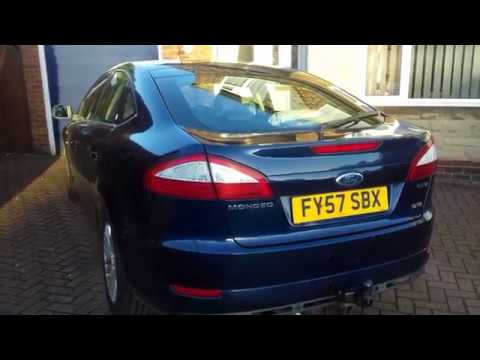
To perform this operation, it is advisable to disconnect the battery cables to protect any delicate circuits, such as the one controlling the mirror adjustment motor. Now, proceed to remove the triangular panel covering the bolts securing the mirror. To do this, unscrew the bolt located in the designated hole, then disconnect the connector supplying the motor. After that, unscrew the bolts to detach the mirror and remove it from the exterior. Reverse the steps described for reassembly. by ScegliAuto More videos
|
|
For advertising on this site Write to info@scegliauto.com
ScegliAuto is not responsible for any inaccuracy of the data in the lists. To report any inaccuracy or your business (if you own the business in question), please write to info@scegliauto.com
Number of seconds to generate the page: 0.053
(c) ScegliAuto 2026 - info@scegliauto.com - Privacy policy VAT number: IT01247470535 |
