
|
Do it yourself
| |||
| ||||



How to access the maintenance history on a Mini car
Model: Mini Mini
F60, Countryman2
- Years:
2017, 2018, 2019, 2020, 2021, 2022, 2023
Video tutorial
In this video, we see a very useful feature that we can find on the onboard computer of most Mini cars, namely the service history. In fact, we have a sort of archive where all the data of the various services are stored, as if they were recorded in the service booklet. All this is done through the IDrive controller: we press Menu and select "vehicle information", then scroll down to "vehicle status". We enter a submenu by scrolling down to "service requirements". Here too, we will have to scroll down until we find "service history": the history of maintenance interventions with date, mileage, and the BMW dealer's number who performed the operation will be displayed.
Posted on 6 April 2025 by ScegliAuto
Related tutorials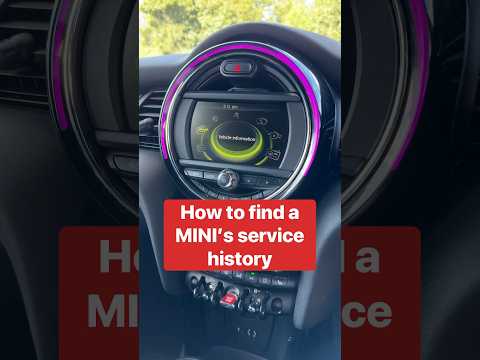
Mini
(2017-2023 /
F60, Countryman2)
This video explains a very interesting procedure, especially if we decide to buy a used Mini: how to access the service history from the onboard comp…

Mini
(2014-2023 /
F56, F54, F57, F55)
Let's see how to access the maintenance menu of a Mini F56 equipped with the iDrive infotainment system. Turn on the ignition, and in the center of t…

Mini
(2010-2016 /
Countryman1, R60)
Let's discover the useful information that will allow us to access the internal fuse box of the Mini Countryman, also finding the diagram and the sch…
Other guides you may be interested in
|
How to Open the Fuel Flap and Cap on an MG HS
This guide will show you how to open the fuel flap and cap on an MG HS in simple steps. To open the fuel flap, ensure the vehicle is unlocked; then press on the edge of the flap to open it, as shown in the video. Next, unscrew the fuel cap counterclockwise to refuel at the pump; once finished, screw the cap back on until it clicks, and finally close the fuel flap! by ScegliAuto More videos
|
|
For advertising on this site Write to info@scegliauto.com
ScegliAuto is not responsible for any inaccuracy of the data in the lists. To report any inaccuracy or your business (if you own the business in question), please write to info@scegliauto.com
Number of seconds to generate the page: 1.290
(c) ScegliAuto 2026 - info@scegliauto.com - Privacy policy VAT number: IT01247470535 |
