
|
Do it yourself
| |||
| ||||


Adjusting the time on a Mini Cooper
Model: Mini Mini
R60, Countryman1
- Years 2010-2016
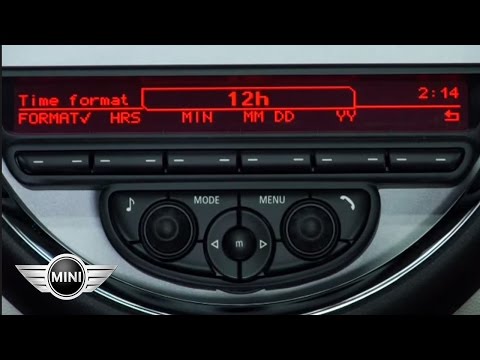
In this very short video tutorial today we can see how to adjust the time of the onboard computer on a Mini Cooper Countryman, first generation model R60 produced from 2010 to 2016. So first of all we need to turn on the car's ignition and then move to the central navigation display, here we go to open the settings as shown in the video and then we select the "TIME/DATE" option, once this is done the time adjustment screen will open where it will be possible to change the time zone, the hour format and manually change the time.
Posted on 21 August 2025 by ScegliAuto
Video tutorial
Related tutorials
Mini
(2007-2014 /
R55, R57, R56)
In this tutorial we can see how to adjust the time in the Mini Cooper, an extremely simple and quick operation, to be carried out for example after r…
Mini
(2007-2014 /
R55, R57, R56)
In this tutorial, we can see how to adjust the time in the Mini Cooper, a very simple and quick operation to be carried out, for example, after repla…

Mini
(2007-2014 /
R55, R57, R56)
In this tutorial we can see how to set the time in the Mini Cooper, an extremely simple operation, to be carried out for example after being left wit…
Other guides you may be interested in
|
How to Replace the Spark Plugs of the Chevrolet Spark
Release and lift the bonnet. The first step is to disconnect the battery plugs to protect all electronic components. Now, remove the bolts securing the cover to the engine, disconnecting the hose on the side as well. Disconnect the connectors on top of the coils and then remove the coils by pulling them straight up after removing the bolts that hold them in place. Now, using a socket wrench, unscrew the spark plugs from the bottom of the newly freed hole, taking care not to let too much dirt enter this cylinder. by ScegliAuto More videos
|

|
For advertising on this site Write to info@scegliauto.com
ScegliAuto is not responsible for any inaccuracy of the data in the lists. To report any inaccuracy or your business (if you own the business in question), please write to info@scegliauto.com
Number of seconds to generate the page: 0.059
(c) ScegliAuto 2026 - info@scegliauto.com - Privacy policy VAT number: IT01247470535 |
