
|
Do it yourself
| |||
| ||||


How to Reset the Tyre Pressure on the Mini R56
Model: Mini Mini
R56, R55, R57
- Years 2007-2014
In this video, we show you how to reset the tyre pressure on the Mini R56. To perform the reset, you need to operate the control lever located on the left side of the steering wheel. Pressing the end of the lever inward will activate the onboard computer of your car. Continue pressing until you see the option you are interested in (i.e., SET/INFO) on the instrument panel. Now continue until the 'RESET' option appears. From this point, keep pressing until the reset confirmation 'OK' appears. At this point, turn off the ignition and the reset is complete.
Updated on 5 August 2026 by ScegliAuto
Video tutorial
Related tutorials
Mini
(2007-2014 /
R56, R55, R57)
If you don't know where the OBD port of your Mini Cooper R56 is located, don't worry because thanks to the steps described in the following guide, yo…

Mini
(2007-2014 /
R56, R55, R57)
Today's guide will show us how to perform the IP test on the Mini Cooper, as well as on the Mini Countryman. First of all, we get into the car and st…
Mini
(2007-2014 /
R56, R55, R57)
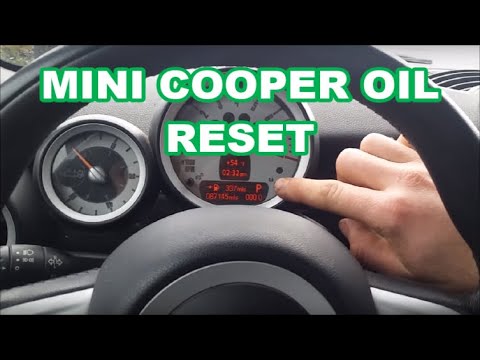
In today's video, learn how to reset the service trip on Mini models R55, R56, and R57, including the 3-door, Cabrio, Clubman, and Countryman. Access…
Other guides you may be interested in
|
How to Adjust the Brightness of the Instrument Cluster on a Peugeot 3008?
To adjust the brightness of the instrument cluster on a Peugeot 3008, you need to turn on the ignition and access the settings via the menu located in the central area of the dashboard. In the screen that appears, select the "Display Configuration" option: now, by selecting the "Brightness" option, you can adjust it using the dedicated slider that will appear on the screen. The adjustment should be made with the headlights on as well as with them off. Once the adjustment is complete, you can turn off the instrument cluster. by ScegliAuto More videos
|

|
For advertising on this site Write to info@scegliauto.com
ScegliAuto is not responsible for any inaccuracy of the data in the lists. To report any inaccuracy or your business (if you own the business in question), please write to info@scegliauto.com
Number of seconds to generate the page: 0.759
(c) ScegliAuto 2026 - info@scegliauto.com - Privacy policy VAT number: IT01247470535 |
