
|
Do it yourself
| |||
| ||||


To reset the service light on the 2019 Mini Cooper.
Model: Mini Mini
F57, F56, F55, F54
- Years 2014-2023
In the following guide, we will explain how to manually reset the service light that continues to stay on consistently on the instrument panel of your 2019 Mini Cooper. First, you need to enter the cabin and turn on the instrument panel. Then, locate the small button on the right side of the speedometer and hold it down for a few seconds. As soon as the vehicle maintenance screen appears, release the button and press it down again. Finally, release it and confirm the reset of the light.
Posted on 13 November 2023 by ScegliAuto
Video tutorial
Related tutorials
Mini
(2014-2023 /
F57, F56, F55, F54)
The service light reset on a Mini Cooper vehicle follows simple and quick steps to be carried out independently. To reset the service light related t…

Mini
(2007-2014 /
R56, R57, R55)
From the Mini Cooper S instrument cluster, you can completely turn off the Service light by switching on the vehicle's ignition, allowing you to navi…

Mini
(2023-2026 /
F66)
To reset the Service light on the Mini Cooper, you will need to turn on the instrument panel by inserting the ignition key into the corresponding slo…
Other guides you may be interested in |
How to Replace the Rear Indicator Bulb on an Audi A3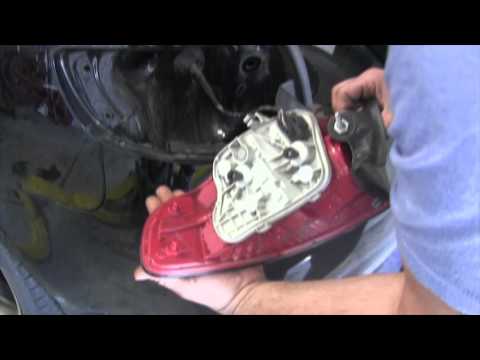
Position the car on a ramp or flat surface and immobilise it. Now, open the boot lid and, inside, corresponding to the rear light where you want to replace the indicator bulb, remove the small plastic cover using a screwdriver. Inside the hole, you will find a bolt (to be removed with a flat screwdriver); once this is undone, you can remove the entire rear light assembly. After this, proceed to remove the part inside the light assembly by unscrewing the 2 small bolts, as shown in the images. In the part you just removed, all the bulbs of the light are mounted. To replace them, simply remove them from their sockets and fit the new ones. To reassemble the entire unit, repeat all the steps shown in the images in reverse order. by ScegliAuto More videos
|

|
For advertising on this site Write to info@scegliauto.com
ScegliAuto is not responsible for any inaccuracy of the data in the lists. To report any inaccuracy or your business (if you own the business in question), please write to info@scegliauto.com
Number of seconds to generate the page: 0.053
(c) ScegliAuto 2026 - info@scegliauto.com - Privacy policy VAT number: IT01247470535 |
