
|
Do it yourself
| |||
| ||||


How to Install the Folding Bracket for Smartphone Support on a Mini
Model: Mini Mini
Countryman1, R60
- Years 2010-2016
In this video, see how to install the folding bracket behind the dashboard of a Mini Clubman or Countryman. We couldn't find the exact model shown in the video, but we recommend a very nice alternative. It is model code B07ZHHB345 on Amazon, costing £24.99 with free delivery for Prime customers. The installation method is the same. Lower the steering wheel and unscrew the speedometer, remove it from its housing, and unscrew the screw at the back where you will secure the bracket that is part of the folding support. Once secured to the speedometer, you can refit it and the job will be done.
Updated on 31 August 2026 by ScegliAuto
Video tutorial
Related tutorials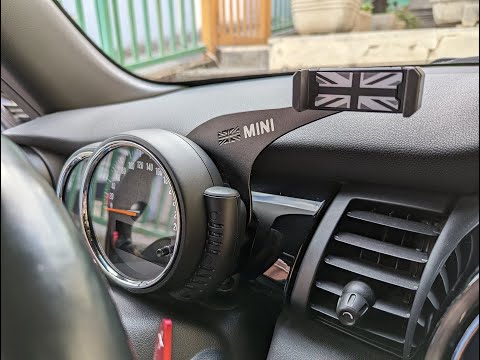
Mini
(2007-2014 /
R56, R55, R57)
In this video, we will see how to fit a smartphone holder on a vehicle with an analog speedometer. We couldn't find the exact model of holder, but a …
Mini
(2010-2016 /
Countryman1, R60)
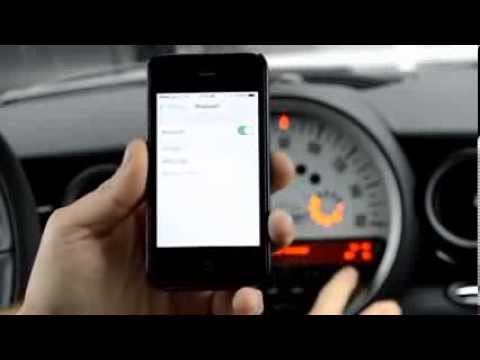
This video shows how to connect your smartphone to the Bluetooth system of a Mini's car radio. Activate Bluetooth on your smartphone and set the car …

Mini
(2014-2023 /
F56, F57, F54, F55)
In this tutorial video, you will see how to pair and connect your smartphone to the multimedia system in your Mini Cooper, as well as in the Countrym…
Other guides you may be interested in
|
Frequently Asked QuestionsHow to Adjust the Brightness of the Instrument Cluster on a Peugeot 3008?
To adjust the brightness of the instrument cluster on a Peugeot 3008, you need to turn on the ignition and access the settings via the menu located in the central area of the dashboard. In the screen that appears, select the "Display Configuration" option: now, by selecting the "Brightness" option, you can adjust it using the dedicated slider that will appear on the screen. The adjustment should be made with the headlights on as well as with them off. Once the adjustment is complete, you can turn off the instrument cluster. by ScegliAuto More videos
|

|
For advertising on this site Write to info@scegliauto.com
ScegliAuto is not responsible for any inaccuracy of the data in the lists. To report any inaccuracy or your business (if you own the business in question), please write to info@scegliauto.com
Number of seconds to generate the page: 0.099
(c) ScegliAuto 2026 - info@scegliauto.com - Privacy policy VAT number: IT01247470535 |
