
|
Do it yourself
| |||
| ||||


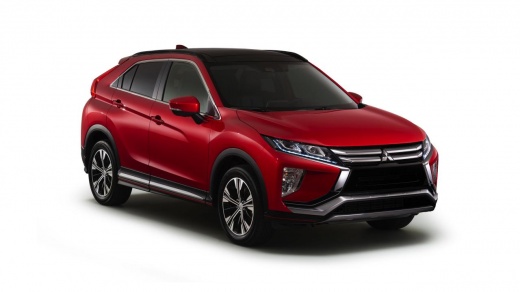
How to Reset the Service Light on the 2018 Mitsubishi Eclipse Cross
Model: Mitsubishi Eclipse Cross
YA, GL, GK, YB
- Years 2018-2026
Resetting the service light on the 2018 Mitsubishi Eclipse Cross is a simple operation that can be done independently. To reset, first press the button located on the left side, behind the steering wheel. This button has the Menu symbol. Then, press the main beam button to access the settings. Press the Menu button again to confirm the desire to reset the lights and finally restart the vehicle by turning off the instrument cluster and turning it back on. If the light does not turn off, visit a workshop for a diagnostic check.
Updated on 18 September 2026 by ScegliAuto
Video tutorial
Related tutorials
Mitsubishi Eclipse Cross
(2018-2026 /
YA, GL, GK, YB)
To reset the service light or cutting light of the Mitsubishi Eclipse Cross, we must: - insert the key into the instrument panel; - press the arrow b…

Mitsubishi Eclipse Cross
(2018-2026 /
YA, GL, GK, YB)
To reset the maintenance light on the 2022 Mitsubishi Eclipse Cross, follow these steps: - The first step is to turn on the instrument cluster of the…

Mitsubishi Eclipse Cross
(2018-2026 /
YA, GL, GK, YB)
In order to reset the Service light that appears on the instrument panel of the Mitsubishi Eclipse Cross, you need to turn on the instrument panel by…
Other guides you may be interested in
|
How to Replace the Cabin Filter on the Opel Grandland X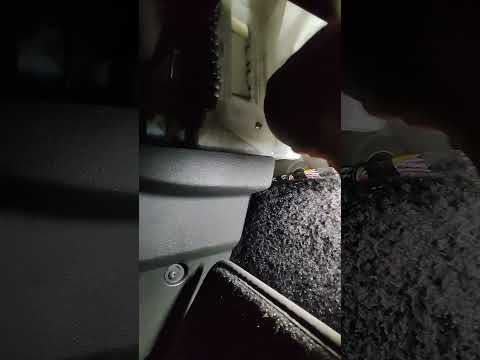
If you own an Opel Grandland X and want to know the steps to replace the cabin air filter, carefully read the following guide and follow the described steps. First, enter the vehicle and go to the passenger side. Then, locate the box containing the air filter in the lower side area of the dashboard. Remove the cover of the box and finally replace the old filter with the new one. Refit the cover, and you are done. by ScegliAuto More videos
|
|
For advertising on this site Write to info@scegliauto.com
ScegliAuto is not responsible for any inaccuracy of the data in the lists. To report any inaccuracy or your business (if you own the business in question), please write to info@scegliauto.com
Number of seconds to generate the page: 0.160
(c) ScegliAuto 2026 - info@scegliauto.com - Privacy policy VAT number: IT01247470535 |
