
|
Do it yourself
| |||
| ||||


Nissan Note - BatteryBattery Nissan Note (2004-2013 / e 11, mk 1) Nissan Note (2004-2013 / E11, MK 1)
How to change the battery of the Nissan Note In this video, we will see how to change the battery on a Nissan Note: as the video rightly suggests, before removing the battery, make sure to have the code …Read all… Posted on 29 May 2025 by ScegliAuto 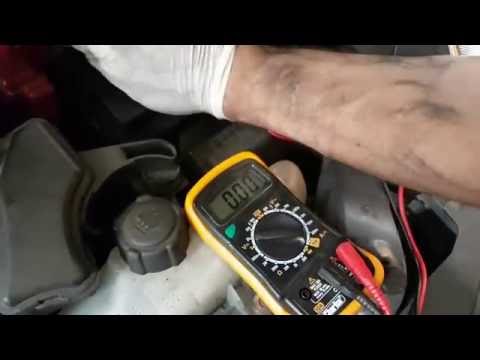 Nissan Note (2004-2013 / E11, MK 1)
Battery Replacement Instructions Replacing the battery is a maintenance task you can easily perform yourself: first, choose the correct battery in terms of capacity (Amperes), size, and …Read all… Posted on 3 March 2026 by ScegliAuto Car stereo (11) Battery (2) Spark plugs (2) Key (3) Trunk lock (1) Timing belt (1) V-belt (2) Onboard computer (1) Checks and maintenance (7) Bearing (1) Rear bench seat (1) Tail light (5) Fog lights (1) Air filter (3) Cabin air filter (4) Diesel fuel filter (4) Parking brake (1) Light bulb (2) Headlight bulb (8) Tail light bulb (4) License plate light (1) Handle (1) Engine oil (3) Clock (3) Door trim panel (1) Rear bumper (2) Shift knob (1) Instrument cluster (4) Fuse box (21) Seat (1) Door lock (1) Warning light – error code (14) Tire pressure warning light (11) Service warning light (54) Windshield wipers (1) Blower motor (1) |
How to Remove the Rear Seat of a Hyundai Tucson?
To remove the rear seat of a Hyundai Tucson, follow these steps. Start by moving the front seats to their most forward position to gain space. Next, locate the release lever on the underside of the rear seat, near the floor. Press this lever down while pulling the seat upwards to unlock it from the anchor pins. Once unlocked, tilt the seat upwards and forwards to remove it from its position. Repeat this process for both sides of the rear seat. Be careful of any electrical cables or components that may be connected to the seat during removal. Once the rear seat is removed, the disassembly is complete. by ScegliAuto More videos
|
|
For advertising on this site Write to info@scegliauto.com
ScegliAuto is not responsible for any inaccuracy of the data in the lists. To report any inaccuracy or your business (if you own the business in question), please write to info@scegliauto.com
Number of seconds to generate the page: 0.007
(c) ScegliAuto 2026 - info@scegliauto.com - Privacy policy VAT number: IT01247470535 |
