
|
Do it yourself
| |||
| ||||


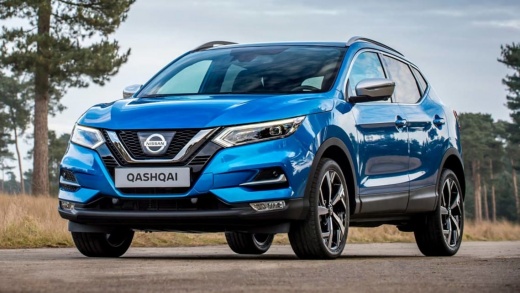
How do you reset the AdBlue warning light on the Nissan Qashqai?
Model: Nissan Qashqai
J11
- Years:
2014, 2015, 2016, 2017, 2018, 2019, 2020, 2021, 2022
Video tutorial
To make the AdBlue warning light disappear completely from the instrument panel of the Nissan Qashqai, you need to top up with the necessary amount of additional fluid: to do this, you will need to open the fuel filler flap located on the rear right side of the vehicle. Once the flap is open, you can remove the blue cap underneath: once removed, you can insert the necessary amount of additional fluid to turn off the warning light. If the light remains on, it may be necessary to remove it using a scanner.
Posted on 9 February 2025 by ScegliAuto
Related tutorials
Nissan Qashqai
(2014-2022 /
J11)
Below we will see the instructions that will allow us to reset the AdBlue warning light of the Nissan Qashqai. In order to reset the AdBlue refill wa…

Nissan Qashqai
(2014-2022 /
J11)
Hello everyone! Today we will explain how to reset the important AdBlue additive warning light on your Nissan Qashqai. Reset through the dashboard me…
Nissan Qashqai
(2014-2022 /
J11)
Today we will explain how to reset the AdBlue light of the Nissan Qashqai. Before starting the reset of the light, we must top up the liquid in the t…
Other guides you may be interested in
|
Frequently Asked QuestionsHow to reset the tyre pressure warning light on the Kia Niro EV?
To reset the tyre pressure warning light on the Kia Niro EV, inflate the tyres until they reach the correct pressure value. This value is indicated on the sticker attached to the driver's door pillar. Once the tyres are inflated, turn on the instrument cluster to check that the warning light has completely disappeared from the display. If it is still present, you may need to drive for a few miles to ensure it disappears completely from the screen. by ScegliAuto More videos
|
|
For advertising on this site Write to info@scegliauto.com
ScegliAuto is not responsible for any inaccuracy of the data in the lists. To report any inaccuracy or your business (if you own the business in question), please write to info@scegliauto.com
Number of seconds to generate the page: 0.021
(c) ScegliAuto 2026 - info@scegliauto.com - Privacy policy VAT number: IT01247470535 |
