
|
Do it yourself
| |||
| ||||


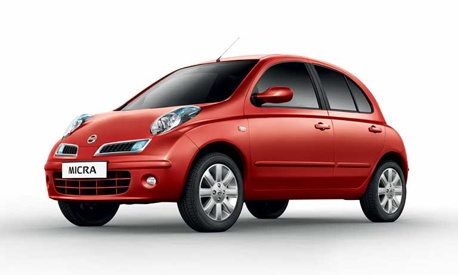
How to replace the cabin filter of the Nissan Micra k12
Model: Nissan Micra
K12
- Years:
2002, 2003, 2004, 2005, 2006, 2007, 2008, 2009, 2010
Video tutorial
In this video, we will see how to replace the cabin air filter of the Nissan Micra k12: to access the filter, you need to remove the three screws that hold the glove box in place; then we will remove the two metal brackets that hold the glove box up, which we can now remove. We will also remove the cover behind the actual glove box, which can be removed by pulling it towards us; on the left side, so from the side of the central tunnel, we will find a small rectangular white box: that's where our filter is. Let's open it, remove it, clean the box from residues and dust, and place the new and clean filter in its place, paying attention to the installation direction (the arrows should point downwards). Close the cap and put back the glove box, first reattaching the brackets and then the screws. Job done.
Posted on 27 August 2025 by ScegliAuto
Related tutorials
Nissan Micra
(2002-2010 /
K12)
Replacing the cabin filter in the Nissan Micra K12 is a very simple task that you can do independently. With the help of this short video tutorial, y…

Nissan Micra
(2002-2010 /
K12)
If you want to replace the engine air filter of your Nissan Micra K12 by yourself, you must first carefully read the following guide and then follow …

Nissan Micra
(2002-2010 /
K12)
This brief video tutorial shows all the steps necessary to replace the cabin air filter on a Nissan Micra K12, produced from 2002 to 2010. The filter…
Other guides you may be interested in
|
How to reset the tyre pressure warning light on the Kia Niro EV?
To reset the tyre pressure warning light on the Kia Niro EV, inflate the tyres until they reach the correct pressure value. This value is indicated on the sticker attached to the driver's door pillar. Once the tyres are inflated, turn on the instrument cluster to check that the warning light has completely disappeared from the display. If it is still present, you may need to drive for a few miles to ensure it disappears completely from the screen. by ScegliAuto More videos
|
|
For advertising on this site Write to info@scegliauto.com
ScegliAuto is not responsible for any inaccuracy of the data in the lists. To report any inaccuracy or your business (if you own the business in question), please write to info@scegliauto.com
Number of seconds to generate the page: 0.059
(c) ScegliAuto 2026 - info@scegliauto.com - Privacy policy VAT number: IT01247470535 |
