
|
Do it yourself
| |||
| ||||


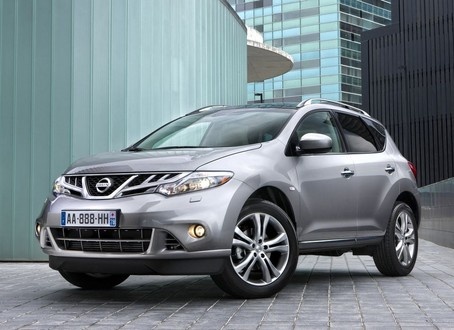
How to replace the battery of the key for the Nissan Murano 2011
Model: Nissan Murano
Z51, MK 2
- Years 2008-2014
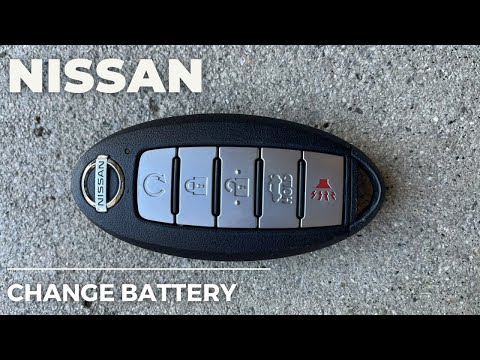
In the following guide aimed at all of you who own a second series Nissan Murano (year 2011), you will find the description of all the necessary steps to complete the replacement of the key battery quickly and safely. First of all, purchase a new CR2032 battery and get a flathead screwdriver. Then, remove the physical key from inside the protective cover and disassemble the cover with the help of the flathead screwdriver. Finally, remove the protective cap on the battery and replace it. Reassemble the cover and you have completed the procedure.
Posted on 3 October 2025 by ScegliAuto
Video tutorial
Related tutorials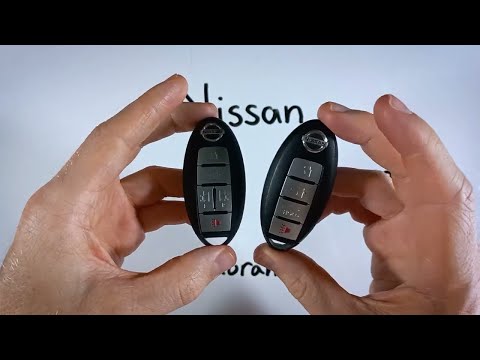
Nissan Murano
(2014-2024 /
Z52, MK 3)
If you want to independently replace the battery of your Nissan Murano key, simply follow the steps outlined in this mini guide. First, locate the sm…

Nissan Murano
(2014-2024 /
Z52, MK 3)
To correctly complete the replacement of the small battery inside the key of your Nissan Murano, you must follow all the steps described in our new m…
Nissan Murano
(2008-2014 /
Z51, MK 2)
To replace the battery in your 2012 Nissan Murano key yourself, follow the instructions below for a hassle-free process. First, locate the button on …
Other guides you may be interested in
|
Where is the Spare Wheel in the Peugeot 5008?
This video shows where the spare wheel is located in the Peugeot 5008 and how to access it, useful in case of a puncture. As shown, the wheel is not in the usual boot compartment but underneath it, outside the vehicle. To free the wheel, first gather the tools provided, then open the boot, locate the small indicated hatch, and open it. Next, loosen the bolt just released using the large socket wrench enough to lower the wheel to the ground. by ScegliAuto More videos
|
|
For advertising on this site Write to info@scegliauto.com
ScegliAuto is not responsible for any inaccuracy of the data in the lists. To report any inaccuracy or your business (if you own the business in question), please write to info@scegliauto.com
Number of seconds to generate the page: 0.148
(c) ScegliAuto 2026 - info@scegliauto.com - Privacy policy VAT number: IT01247470535 |
