
|
Do it yourself
| |||
| ||||


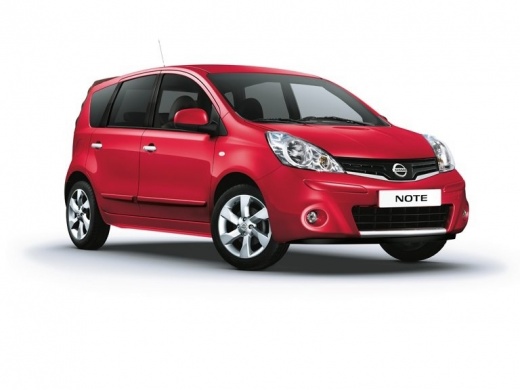
How do you replace the Nissan Note's car radio?
Model: Nissan Note
E11, MK 1
- Years:
2004, 2005, 2006, 2007, 2008, 2009, 2010, 2011, 2012, 2013
Video tutorial
We feel like updating our car, equipping it with more recent technical instruments, in this case the car radio, or are we forced to replace it because it is broken? Let's get to work, we don't need complex equipment or long experience in the field, in fact the video guide available to us confirms this: we open the compartment above the car radio and unscrew the screws inside it, we do the same with the screws at the bottom, always of the aforementioned car radio, detaching the ornamental profile, we grab the entire structure, car radio, frame and air conditioning vents and extract them from the dashboard. Once this is done, we disconnect the rear terminals of the cables and free the equipment, thus being able to continue with the replacement.
Posted on 10 October 2025 by ScegliAuto
Related tutorials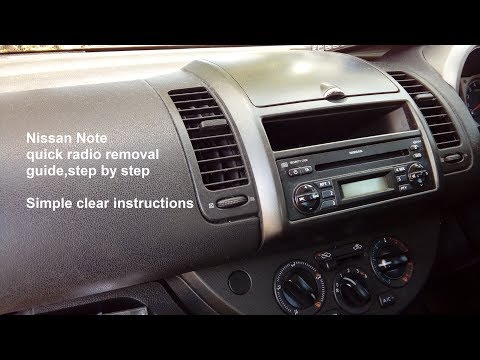
Nissan Note
(2004-2013 /
E11, MK 1)
To remove the stereo from a Nissan Note, follow these steps. Detach the trim plastic below the stereo and unscrew the screws. Lift the flap at the to…

Nissan Note
(2012-2022 /
MK 2, E12)
Today we will see the instructions that will show us the procedure for disassembling and replacing the factory radio of the Nissan Note. First, let's…

Nissan Note
(2004-2013 /
E11, MK 1)
In this brief guide, discover the steps to retrieve the radio code, allowing you to unlock the stations for the Nissan Note, as well as the Qashqai a…
Other guides you may be interested in
|
How to reset the tyre pressure warning light on the Kia Niro EV?
To reset the tyre pressure warning light on the Kia Niro EV, inflate the tyres until they reach the correct pressure value. This value is indicated on the sticker attached to the driver's door pillar. Once the tyres are inflated, turn on the instrument cluster to check that the warning light has completely disappeared from the display. If it is still present, you may need to drive for a few miles to ensure it disappears completely from the screen. by ScegliAuto More videos
|
|
For advertising on this site Write to info@scegliauto.com
ScegliAuto is not responsible for any inaccuracy of the data in the lists. To report any inaccuracy or your business (if you own the business in question), please write to info@scegliauto.com
Number of seconds to generate the page: 0.021
(c) ScegliAuto 2026 - info@scegliauto.com - Privacy policy VAT number: IT01247470535 |
