
|
Do it yourself
| |||
| ||||


How to replace the tail lights on the Nissan Almera?
Model: Nissan Almera
N16, MK 2
- Years:
2000, 2001, 2002, 2003, 2004, 2005, 2006, 2007, 2008
Video tutorial
In this tutorial, we will see how to replace the rear lights on a Nissan Almera, a process that is extremely simple and quick. First, let's make sure that the instrument panel is turned off to operate safely. Then, we open the trunk and move the carpet located at the back of the light in question. Next, we unscrew the mounting nuts with a 10mm socket wrench, disconnect the power connector, and separate the light from the body of the car. At this point, all that’s left is to transfer the bulbs to the new part and install it by following the reverse procedure.
Posted on 19 December 2025 by ScegliAuto
Related tutorials
Nissan Almera
(2000-2008 /
N16, MK 2)
In this new guide aimed at all of you who own a Nissan Almera N16, we will help you find the fuse box in the cabin in just a few seconds. First, get …

Nissan Almera
(2019-2026 /
MK 4, N18)
To locate the fuses in a Nissan Almera, there are generally two main fuse boxes. The first is located in the engine bay, usually near the battery or …
Nissan Almera
(2000-2008 /
N16, MK 2)
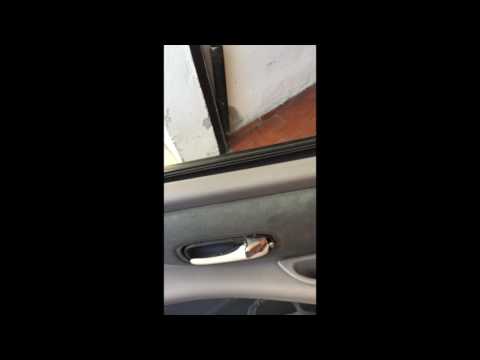
In this video, you will see how to replace the door panel on a Nissan Almera. First, open the door and remove the screws located along the edge of th…
Other guides you may be interested in
|
How to Remove the Toll Tag Holder from the Car Windscreen
The toll tag holder is usually attached to the car windscreen to ensure that the toll tag functions immediately when passing through barriers. However, if you decide to remove the holder, you should follow this procedure: - Insert the toll tag into the holder; - Pull the holder inwards to detach it from the windscreen; you can use a glass scraper or a stiff plastic card to assist you; After removing the holder, it is essential to remove the adhesive from the windscreen. To remove the adhesive, we recommend using a solvent-based spray that will remove the glue without clouding the area. by ScegliAuto More videos
|
|
For advertising on this site Write to info@scegliauto.com
ScegliAuto is not responsible for any inaccuracy of the data in the lists. To report any inaccuracy or your business (if you own the business in question), please write to info@scegliauto.com
Number of seconds to generate the page: 0.027
(c) ScegliAuto 2026 - info@scegliauto.com - Privacy policy VAT number: IT01247470535 |
