
|
Do it yourself
| |||
| ||||


How to Replace the Water Pump on a Nissan Cabstar
Model: Nissan Cabstar
MK 3
- Years:
2007, 2008, 2009, 2010, 2011, 2012, 2013
Video tutorial
To replace the water pump on a Nissan Cabstar, disconnect the negative terminal of the battery. Drain the cooling system by opening the radiator cap or the drain tap. Remove the auxiliary belt by loosening the tensioner. Dismantle any components that obstruct access to the pump. Unscrew the bolts securing the water pump and remove it from the engine. Clean the contact surface thoroughly, removing any residue from the old gasket. Position the new pump with a new gasket and tighten it with the bolts to the specified torque. Refit the auxiliary belt and all removed components. Fill the system with new coolant and bleed the air. Start the engine and check for any leaks.
Posted on 26 April 2026 by ScegliAuto
Related tutorials
Nissan Cabstar
(2007-2013 /
MK 3)
In the Nissan Cabstar, just like in the Nissan Pathfinder, as mentioned in the video guide available here, there are common resets, for example, here…
Nissan Cabstar
(2007-2013 /
MK 3)
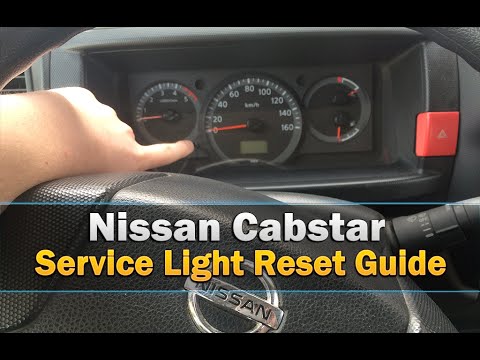
Before you can start, sit in the driver's seat of your Nissan CABStar. Activate the instrument cluster by turning the key in the ignition. Then, pres…

Nissan Cabstar
(2007-2013 /
MK 3)
In today's video tutorial, we will see the main steps to carry out routine maintenance by replacing the engine oil and oil filter on the Nissan CABSt…
Other guides you may be interested in
|
How to reset the tyre pressure warning light on the Kia Niro EV?
To reset the tyre pressure warning light on the Kia Niro EV, inflate the tyres until they reach the correct pressure value. This value is indicated on the sticker attached to the driver's door pillar. Once the tyres are inflated, turn on the instrument cluster to check that the warning light has completely disappeared from the display. If it is still present, you may need to drive for a few miles to ensure it disappears completely from the screen. by ScegliAuto More videos
|
|
For advertising on this site Write to info@scegliauto.com
ScegliAuto is not responsible for any inaccuracy of the data in the lists. To report any inaccuracy or your business (if you own the business in question), please write to info@scegliauto.com
Number of seconds to generate the page: 0.113
(c) ScegliAuto 2026 - info@scegliauto.com - Privacy policy VAT number: IT01247470535 |
