
|
Do it yourself
| |||
| ||||


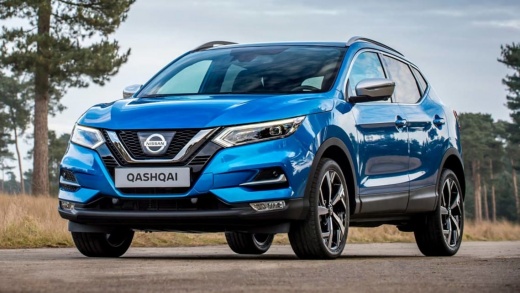
How to Replace the Thermostat on a Nissan Qashqai 1.3
Model: Nissan Qashqai
J11
- Years:
2014, 2015, 2016, 2017, 2018, 2019, 2020, 2021, 2022
Video tutorial
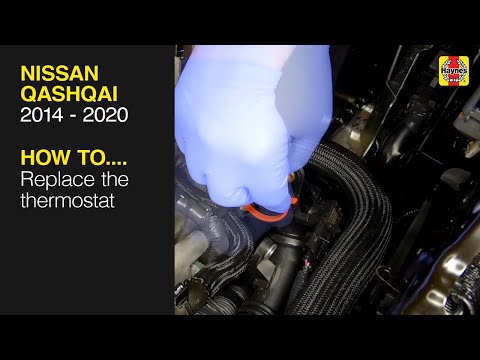
Below are the main instructions on how to remove and replace the thermostat on a Nissan Qashqai 1.3. First, open the bonnet of the vehicle and begin by removing the battery, disconnecting both terminals; then disconnect the thermostat and coolant hoses by loosening the metal clips, as shown in the video. At this point, disconnect the electrical connector of the temperature sensor, unscrew all the screws of the thermostat to remove it; replace it with the new original one, topping up with new antifreeze if necessary.
Posted on 19 July 2026 by ScegliAuto
Related tutorials
Nissan Qashqai
(2014-2022 /
J11)
To replace the thermostat on the Nissan Qashqai, open the bonnet to access the components in the engine bay. Locate the coolant hose on the right sid…
Nissan Qashqai
(2014-2022 /
J11)
In this video tutorial, follow the step-by-step instructions to remove and replace the thermostat on the Nissan Qashqai J11. First, drain the coolant…

Nissan Qashqai
(2014-2022 /
J11)
Before you can start, sit in the driver's seat of your Nissan Qashqai. Begin by gently pulling towards you the lever located at the bottom left of th…
Other guides you may be interested in
|
How to Reset the Tire Pressure Light on a MG ZS?
On the instrument cluster of the MG ZS, the tire pressure light that appears can be reset by inflating the tires to the correct pressure: this value will be indicated on the sticker attached to the driver's door pillar. Once the tires have been properly inflated, you can turn on the instrument cluster and navigate through the menu until you find the option that indicates tire pressure: if this screen shows the new values, the light will turn off; otherwise, you will need to drive for a few miles so that the sensors can read the new values and turn off the light afterward. by ScegliAuto More videos
|
|
For advertising on this site Write to info@scegliauto.com
ScegliAuto is not responsible for any inaccuracy of the data in the lists. To report any inaccuracy or your business (if you own the business in question), please write to info@scegliauto.com
Number of seconds to generate the page: 0.077
(c) ScegliAuto 2026 - info@scegliauto.com - Privacy policy VAT number: IT01247470535 |
