
|
Do it yourself
| |||
| ||||


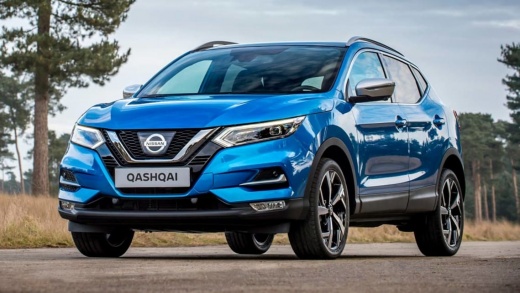
How does the onboard computer of the Nissan Qashqai work?
Model: Nissan Qashqai
J11
- Years 2014-2022
To use the instrument cluster of the Nissan Qashqai, turn the ignition key to switch it on. Navigate through the menu using the buttons located on the left side of the steering wheel: these include directional arrows and the OK button for confirmation. The main screen displayed is the digital speedometer, which shows the speed and other information. By scrolling with the directional arrows, you can find additional screens that display the compass, the last road sign detected by the camera, and more.
Updated on 24 April 2026 by ScegliAuto
This video is currently unavailable
Related tutorials
Nissan Qashqai
(2014-2022 /
J11)
Before you can start, sit in the front driver's seat of your Nissan Qashqai. Begin by activating the on-board computer by simply pressing the corresp…

Nissan Qashqai
(2014-2022 /
J11)
In order to change the language of the on-board computer in the Nissan Qashqai, you need to turn on the instrument panel by inserting the ignition ke…

Nissan Qashqai
(2014-2022 /
J11)
In this tutorial, you will see how to remove the onboard computer from a Nissan Qashqai, a very simple and quick operation. First, ensure that the ke…
Other guides you may be interested in
|
Frequently Asked QuestionsHow to Replace the Cabin Filter on the Opel Grandland X
If you own an Opel Grandland X and want to know the steps to replace the cabin air filter, carefully read the following guide and follow the described steps. First, enter the vehicle and go to the passenger side. Then, locate the box containing the air filter in the lower side area of the dashboard. Remove the cover of the box and finally replace the old filter with the new one. Refit the cover, and you are done. by ScegliAuto More videos
|
|
For advertising on this site Write to info@scegliauto.com
ScegliAuto is not responsible for any inaccuracy of the data in the lists. To report any inaccuracy or your business (if you own the business in question), please write to info@scegliauto.com
Number of seconds to generate the page: 0.764
(c) ScegliAuto 2026 - info@scegliauto.com - Privacy policy VAT number: IT01247470535 |
