
|
Do it yourself
| |||
| ||||


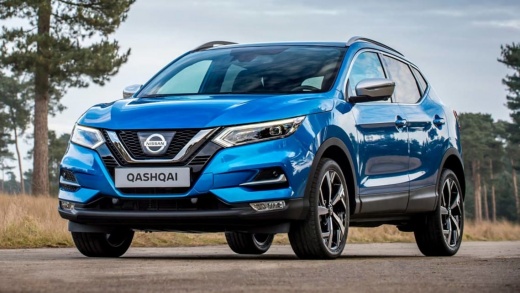
How to Remove Scratches from the Instrument Panel Plastic
Model: Nissan Qashqai
J11
- Years:
2014, 2015, 2016, 2017, 2018, 2019, 2020, 2021, 2022
Video tutorial
Today, with the help of this short video tutorial, you will learn how to remove scratches from the instrument panel of the Nissan Qashqai. The materials you will need are: plexiglass polish, cotton pads, and water. Start by removing any dust present on the instrument panel, then pour some polish onto the cotton and rub it onto the panel, focusing on the most damaged areas. When the polish is completely dry, remove the excess with the cotton and finally polish with a clean cloth. Repeat the operation on both panels. Do not use household products like lemon as they will completely ruin the plastic.
Updated on 4 September 2026 by ScegliAuto
Related tutorials
Nissan Qashqai
(2006-2014 /
J10)
In this video, learn how to remove scratches from the dashboard of your Nissan Qashqai (this method works for any car). First, adjust the steering wh…

Nissan Qashqai
(2006-2014 /
J10)
In this video, see how to replace the rear fog light on a Nissan Qashqai J10. In this specific case, it was particularly easy to remove as it was alr…

Nissan Qashqai
(2006-2014 /
J10)
The video authors show how to replace the glass of the external wing mirror on a Nissan Qashqai J10. Use adhesive tape to protect the lower edge of t…
Other guides you may be interested in |
Frequently Asked QuestionsHow to reset the tyre pressure warning light on the Kia Niro EV?
To reset the tyre pressure warning light on the Kia Niro EV, inflate the tyres until they reach the correct pressure value. This value is indicated on the sticker attached to the driver's door pillar. Once the tyres are inflated, turn on the instrument cluster to check that the warning light has completely disappeared from the display. If it is still present, you may need to drive for a few miles to ensure it disappears completely from the screen. by ScegliAuto More videos
|
|
For advertising on this site Write to info@scegliauto.com
ScegliAuto is not responsible for any inaccuracy of the data in the lists. To report any inaccuracy or your business (if you own the business in question), please write to info@scegliauto.com
Number of seconds to generate the page: 0.017
(c) ScegliAuto 2026 - info@scegliauto.com - Privacy policy VAT number: IT01247470535 |
