
|
Do it yourself
| |||
| ||||


The Functions of the Infotainment System on the Nissan Qashqai
Model: Nissan Qashqai
J10
- Years 2006-2014
The NissanConnect infotainment system installed on the new generation of these vehicles has many functions, but the most important aspect is its intuitive settings approach, making it unnecessary to read the manual to set up and activate all its features. For example, you can listen to music by connecting a device to the Aux output or the USB input. You can also connect your smartphone via Bluetooth to access your contacts, call log, and more. Setting a route with the navigation system is equally simple, providing useful travel information.
Updated on 22 February 2026 by ScegliAuto
Video tutorial
Related tutorials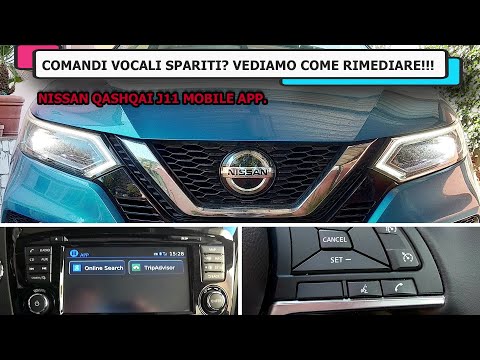
Nissan Qashqai
(2014-2022 /
J11)
To make the most of the Infotainment system of the Nissan Qashqai, register on the Nissan website and then download the Nissan Mobile App on your sma…

Nissan Qashqai
(2021-2026 /
J12)
On Nissan Qashqai vehicles equipped with Android Auto, you can activate or deactivate energy saving mode directly from the central display of the Inf…

Nissan Qashqai
(2021-2026 /
J12)
If the central infotainment system of your new Nissan Qashqai 2024 is experiencing various software anomalies, then resetting to factory data may be …
Other guides you may be interested in |
Frequently Asked QuestionsHow to Open a Stuck Boot on the Peugeot 407?
On the Peugeot 407, the boot may become stuck, possibly due to a problem with the control button or the lock actuator. In such cases, you can perform an emergency opening by following the simple procedure shown in this tutorial. First, open the rear doors, then lower the seat back by operating the release lever. Next, go inside the boot, locate the lock, and manually operate it using a flathead screwdriver. The boot will then be free to open. by ScegliAuto More videos
|
|
For advertising on this site Write to info@scegliauto.com
ScegliAuto is not responsible for any inaccuracy of the data in the lists. To report any inaccuracy or your business (if you own the business in question), please write to info@scegliauto.com
Number of seconds to generate the page: 0.143
(c) ScegliAuto 2026 - info@scegliauto.com - Privacy policy VAT number: IT01247470535 |
