
|
Do it yourself
| |||
| ||||


How to Perform a Forced Restart on Nissan Infotainment Systems
Model: Nissan Nissan Various
In this video, you will learn how to resolve issues that may occur with Nissan infotainment systems. This system works on all vehicles of the brand produced from 2018 onwards. Start by pressing and holding the start button. Keep it pressed until the screen goes black, and then you will see the Nissan logo displayed on it. At this point, you can release the button. It is like turning off a PC; this way, the system resets completely, and any issues that may have arisen should be resolved without needing to re-enter the code. For any further problems, you will need to contact support.
Updated on 16 September 2026 by ScegliAuto
Video tutorial
Related tutorials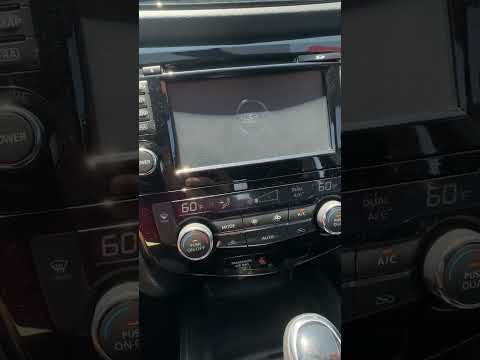
Nissan Nissan Various
In this video, see how to resolve issues with the Nissan infotainment system from 2018 or newer. There is a very simple and quick way to fix the prob…

Nissan Nissan Various
How do you retrieve the radio code from an original Nissan radio? We may need to re-enter this code because we have done some work that forced us to …
Nissan Nissan Various
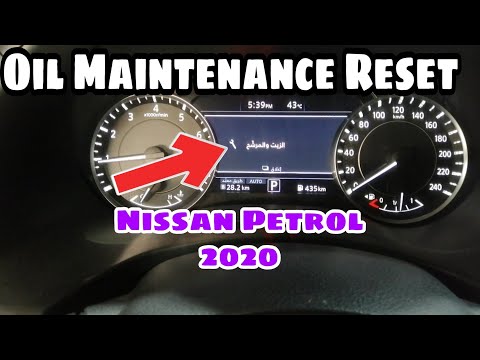
To manually reset the maintenance light that appears on the dashboard of your Nissan Petrol 2020, simply read the following mini guide carefully and …
Other guides you may be interested in |
How to Open a Stuck Boot on the Peugeot 407?
On the Peugeot 407, the boot may become stuck, possibly due to a problem with the control button or the lock actuator. In such cases, you can perform an emergency opening by following the simple procedure shown in this tutorial. First, open the rear doors, then lower the seat back by operating the release lever. Next, go inside the boot, locate the lock, and manually operate it using a flathead screwdriver. The boot will then be free to open. by ScegliAuto More videos
|
|
For advertising on this site Write to info@scegliauto.com
ScegliAuto is not responsible for any inaccuracy of the data in the lists. To report any inaccuracy or your business (if you own the business in question), please write to info@scegliauto.com
Number of seconds to generate the page: 0.090
(c) ScegliAuto 2026 - info@scegliauto.com - Privacy policy VAT number: IT01247470535 |
