
|
Do it yourself
| |||
| ||||


How do you set the clock in the Opel Movano?
Model: Vauxhall Movano
MK 2, Movano B
- Years 2010-2021
Even commercial vehicles nowadays provide informational tools on par with cars, as can be seen in many of them, such as in the Opel Movano presented in the video. Referring to the clock, if it needs to be set, we must turn on the instrument panel and press the button located at the end of the right steering wheel lever, thus accessing the Settings Menu. Once this access is made, we can manage the setting of the hours and minutes from the previously mentioned button. All that's left is to turn off and on the instrument panel to verify the modification has taken place.
Posted on 25 June 2025 by ScegliAuto
Video tutorial
Related tutorials
Vauxhall Movano
(2021-2026 /
MK 3)
To adjust the clock of the Opel Movano, you need to turn on the instrument panel by inserting the ignition key into the corresponding slot: once it i…

Vauxhall Movano
(2010-2021 /
MK 2, Movano B)
For those who may not have a clear idea of which vehicle we are talking about, watching this video can give you an idea. It is an Opel van, with a ve…

Vauxhall Movano
(1998-2011 /
Movano A, MK 1)
It will be possible to adjust the clock shown on the instrument panel of the Opel Movano by inserting the ignition key into the corresponding slot: o…
Other guides you may be interested in
|
How to replace the horn on a Renault Duster - Dacia Duster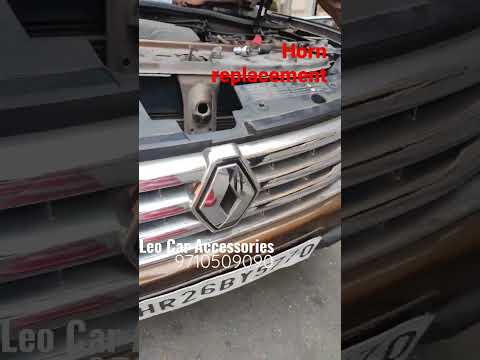
Today's main instructions will show you the procedure for removing and replacing the horn or sound signal on the Renault Duster, as well as the Dacia Duster. First, open the bonnet of the vehicle and start removing the front bumper by unscrewing all the fixing screws; you will find the horn right in front of the radiator, as shown in the video. At this point, disconnect the electrical connector and unscrew the bracket screw to remove and replace the horn with the new one; finally, reassemble the front bumper! by ScegliAuto More videos
|
|
For advertising on this site Write to info@scegliauto.com
ScegliAuto is not responsible for any inaccuracy of the data in the lists. To report any inaccuracy or your business (if you own the business in question), please write to info@scegliauto.com
Number of seconds to generate the page: 0.119
(c) ScegliAuto 2026 - info@scegliauto.com - Privacy policy VAT number: IT01247470535 |
