
|
Do it yourself
| |||
| ||||


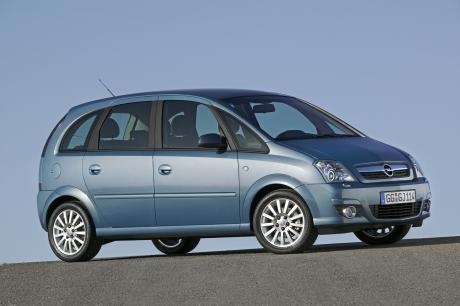
How to Replace the Key Fob Battery on an Opel Meriva
Model: Vauxhall Meriva
Meriva A, MK 1
- Years:
2003, 2004, 2005, 2006, 2007, 2008, 2009, 2010
Video tutorial
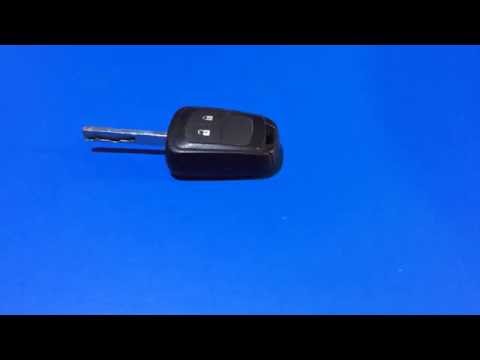
How do you replace the battery in the key fob of an Opel Meriva? This guide shows you how. Take your key fob and separate the part with the buttons from the rest of the cover. Pry between the two parts until they separate halfway; extract the battery using a screwdriver, take a new one of the same size and voltage. Reassemble the two parts of the key fob cover until you hear the locking click and reattach the piece to the rest of the key. Check the proper functioning of the key fob by testing the door lock and unlock buttons.
Updated on 10 March 2026 by ScegliAuto
Related tutorials
Vauxhall Meriva
(2003-2010 /
Meriva A, MK 1)
Learn how to disassemble and replace the battery of the remote key for an Opel Meriva, as well as other models such as the Astra, Zafira, and Vectra.…
Vauxhall Meriva
(2003-2010 /
Meriva A, MK 1)
How do you replace the remote key battery of an Opel Meriva? Follow this guide. Take your remote key; use a screwdriver to pry between the two parts …

Vauxhall Meriva
(2003-2010 /
Meriva A, MK 1)
The key of your Opel Meriva stops opening the car with the buttons because the internal battery has likely run out. To resolve this issue, you need t…
Other guides you may be interested in
|
How to Open the Bonnet on the Mitsubishi L200?
In this tutorial, you will see how to open the bonnet on the Mitsubishi L200, a very simple operation that follows the standard procedure. First, open the vehicle and go to the driver's side, then locate the lever at the lower outer area, just in front of the pedals, and pull it. Next, position yourself in front of the bonnet, locate the second lever above the Mitsubishi logo, and push it to the right, releasing the latch. At this point, you can fully lift the bonnet and secure it with the prop rod. by ScegliAuto More videos
|
|
For advertising on this site Write to info@scegliauto.com
ScegliAuto is not responsible for any inaccuracy of the data in the lists. To report any inaccuracy or your business (if you own the business in question), please write to info@scegliauto.com
Number of seconds to generate the page: 0.135
(c) ScegliAuto 2026 - info@scegliauto.com - Privacy policy VAT number: IT01247470535 |
