
|
Do it yourself
| |||
| ||||


Replacing Remote Key Cover
Model: Vauxhall Corsa
Corsa C
- Years 2000-2006
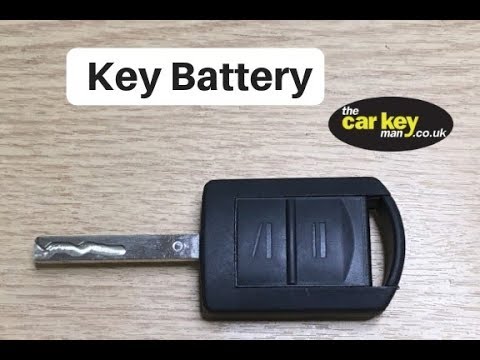
The part of the key dedicated to the opening and closing buttons is a true remote control inserted into the metal key holder: simply lever in the designated slot at the back of the remote, just below the area where the codes are stamped, to extract it like a drawer. Then separate the two halves of the remote, remove the complete circuit board with buttons and battery, and insert it into the new shells; then couple the new shells to reassemble the remote and insert it back into the key holder.
Updated on 11 February 2026 by ScegliAuto
Video tutorial
Related tutorials
Vauxhall Corsa
(2006-2014 /
Corsa D)
To replace the Opel Corsa D remote control battery, lift the emergency key by pressing the appropriate button on the top of the device. In this way i…

Vauxhall Corsa
(2014-2019 /
Corsa E)
Replacing the remote control battery of the Opel Corsa model E produced from 2014 to 2019 is a simple and quick operation to be carried out independe…
Vauxhall Corsa
(2000-2006 /
Corsa C)
How do you change the key fob battery on an Opel Corsa? Take your key fob, and use a screwdriver to pry the cover away from the rest of the fob (as s…
Other guides you may be interested in
|
How to Reset the Oil Service on a Ford Focus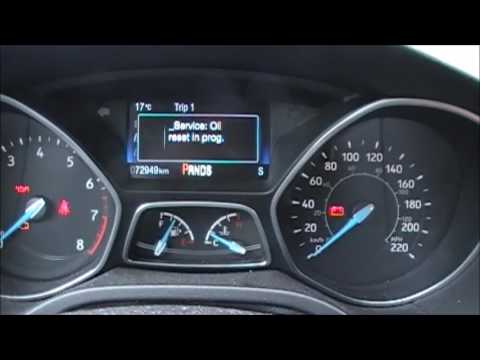
In this video, learn how to reset the oil service maintenance indicator on a Ford Focus. This operation is very simple: enter the vehicle, turn on the instrument panel, and press the button located near the steering wheel for a few seconds, a drop-down menu will appear, scroll until you find the oil reset option. Confirm the reset with the OK button (a message will appear indicating the reset was successful). Check on the instrument panel how many miles until the next oil change service. Always remember to make changes to the onboard computer with the vehicle stationary and turned off. by ScegliAuto More videos
|
|
For advertising on this site Write to info@scegliauto.com
ScegliAuto is not responsible for any inaccuracy of the data in the lists. To report any inaccuracy or your business (if you own the business in question), please write to info@scegliauto.com
Number of seconds to generate the page: 0.135
(c) ScegliAuto 2026 - info@scegliauto.com - Privacy policy VAT number: IT01247470535 |
